
Framer Integration
Translate Your Framer Site Into 110+ Languages
Paste one line of code into your Framer site and Universally translates your public pages with AI. There is no DNS change and no plugin, and your URLs stay the same.


How Universally Works with Framer
Make your Framer site multilingual in four steps.

1. Create a project
Create a project in the Universally dashboard and pick Framer as your platform.

2. Paste one line
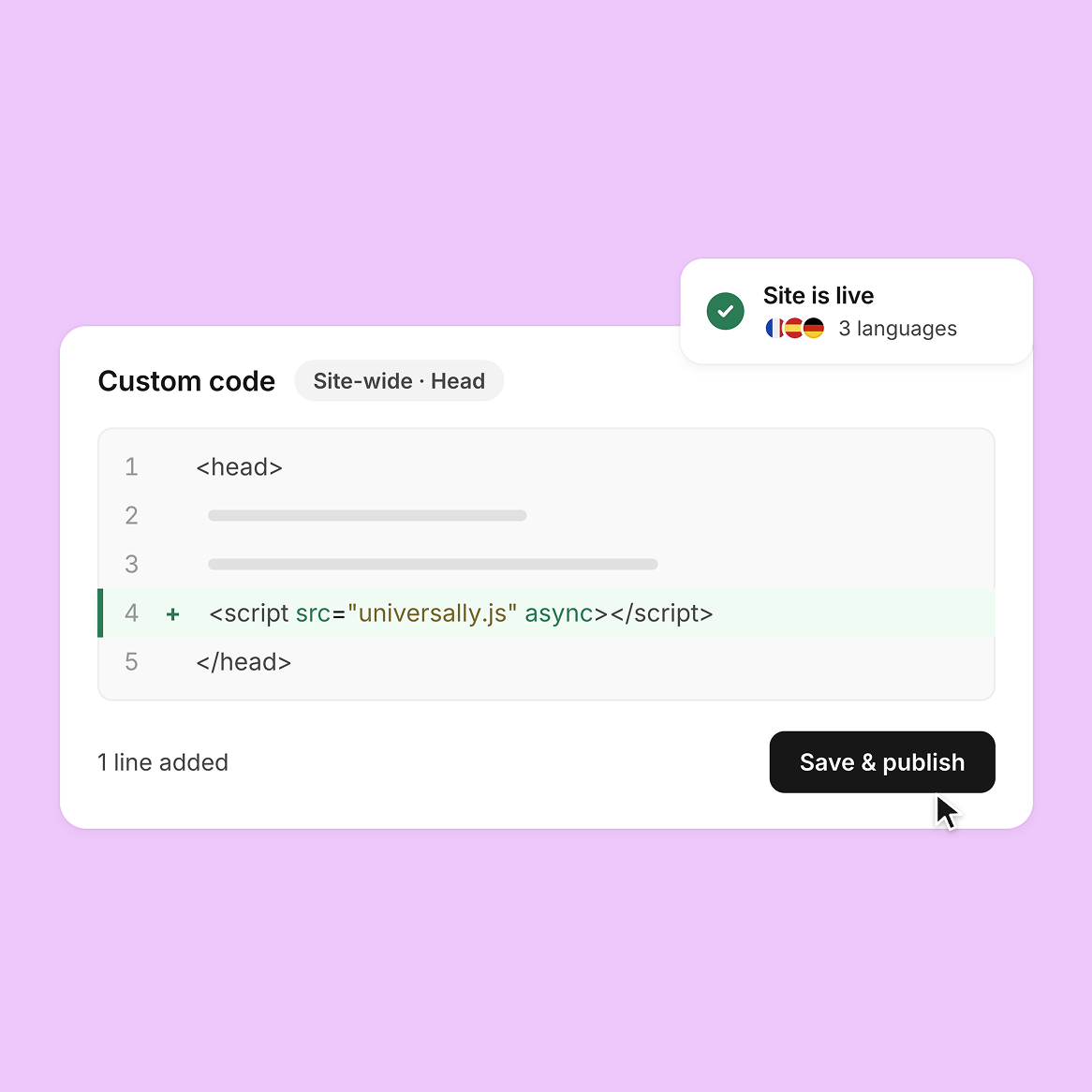
Copy the script tag from the dashboard and paste it into Site Settings › Code › Add. Choose Start of <head>, Pages: All and Run: Once.

3. Publish and check
Publish your Framer site, then press Check connection. Universally loads your home page and confirms the tag is there.

4. Choose languages
Pick your languages. Translations go live and the language switcher appears on your site.
Powerful Features for Multilingual Framer Sites
Everything you need to translate, review and manage your Framer site in every language.

AI Translation
Automatic AI Translation
Universally translates your Framer pages with AI that takes the context of each string into account.
- Context-aware AI translation
- Over 110 languages
- Edit any string
Installation
One Line of Code
Universally installs with one script tag in the site-wide head of your Framer site. There is no DNS change, no plugin and nothing to install on a server.
- No DNS change
- No plugin needed
- Works with Framer hosting

Content Synchronization
Translations Stay in Sync
When you edit your Framer content, Universally detects the new or changed strings and translates them automatically.
- Detects changed strings
- Translates new content
- No manual retranslation
Visual Editor
Edit Translations Visually
The Visual Editor shows a live preview of your site, so you can fix a translation where it appears on the page.
- Live site preview
- Edit on the page
- No spreadsheets

Language Switcher
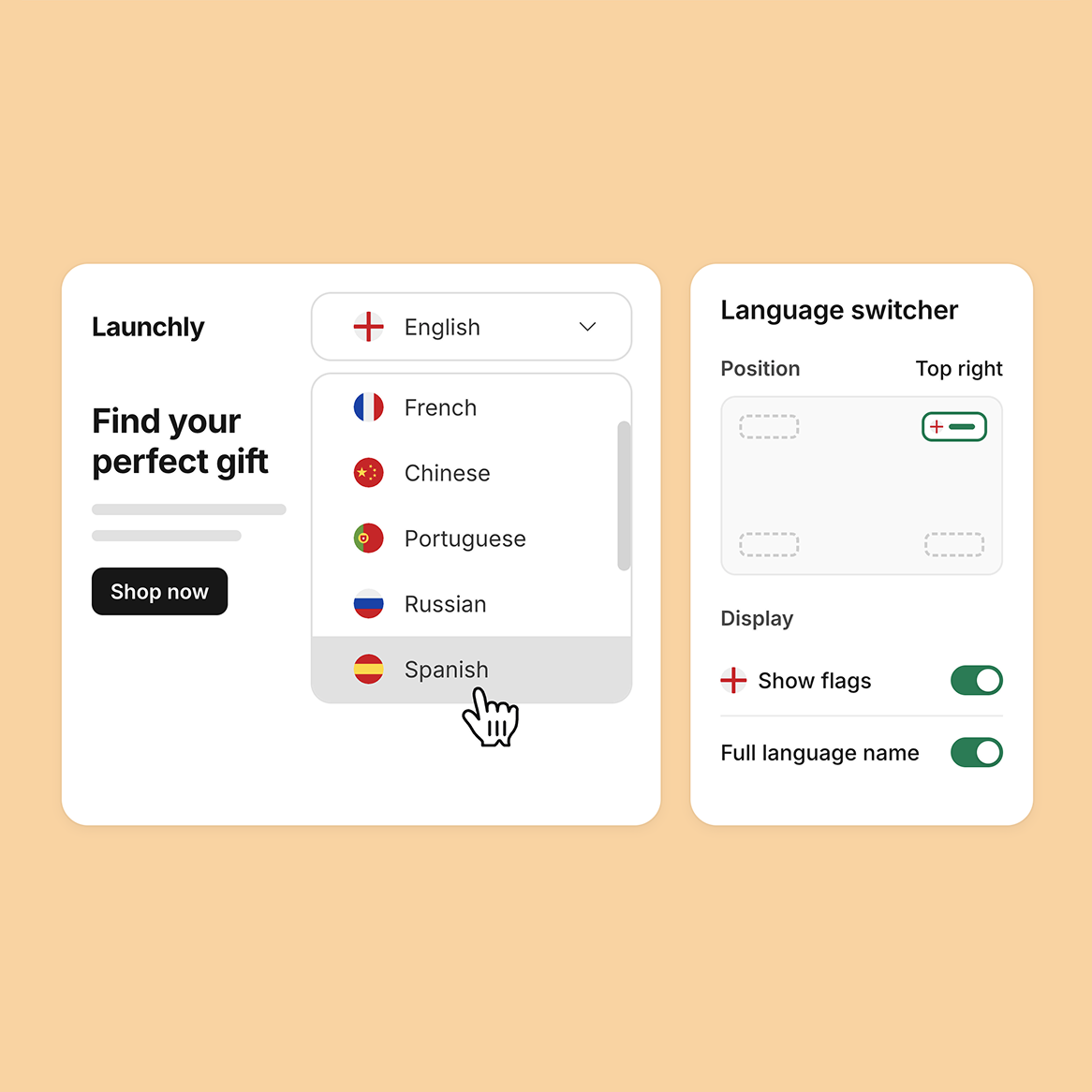
A Language Switcher Built In
The language switcher ships inside the same script, so visitors can change language from the moment you go live. You set its position and design in the Universally dashboard.
- Ships in the script
- Choose its position
- Choose its design
Privacy
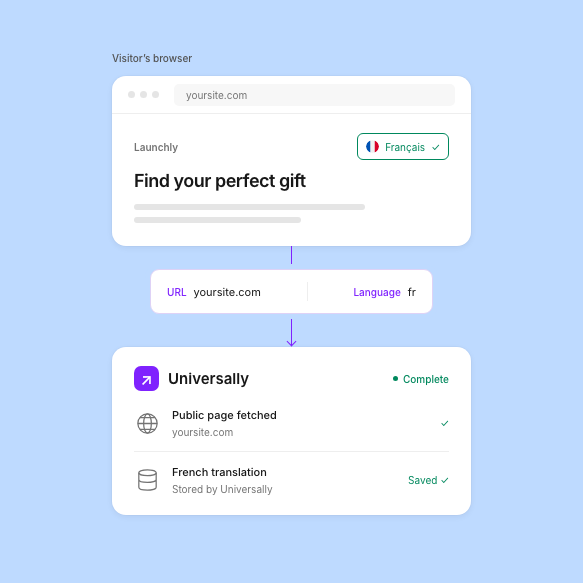
Only the URL Leaves the Browser
The script sends Universally the page URL and the target language, never the page content. Universally fetches the public page itself and stores translations on its own infrastructure, not in your Framer site.
- No page content sent
- Public pages only
- Stored by Universally
Latest tips and tricks
Stay ahead with translation insights, multilingual strategies and Framer localization tutorials to grow globally.
Ready to Make Your Framer Site Multilingual?
Translate your Framer site and reach global audiences with Universally’s fast and easy translation platform.

14 Days Money Back Guarantee

No Credit Card Required

Cancel Anytime
Frequently asked questions
Get answers to the most common questions about using Universally to create multilingual websites that actually convert international visitors.
Do I need a developer to add Universally to Framer?
No. You copy one script tag from the dashboard and paste it into Site Settings › Code › Add. Choose Start of <head>, Pages: All and Run: Once, then publish. The tag looks like this: <script src="https://scripts.universally.com/p/{publicKey}/s.js" async></script>
Custom code needs a paid Framer plan.
Will Universally slow down my Framer site?
No. The script loads with the async attribute, so it does not hold up your page. Translations are cached in the visitor’s browser, and returning visitors see translated text with no flicker. Universally works alongside Framer’s own hosting and CDN.
What does Universally translate on my Framer site?
Universally translates text, descriptive attributes (alt, title and placeholder), the page title and the meta description. When a page changes without a full reload, the script applies the translations again.
The text must be in the HTML that Framer sends. Content that only appears after JavaScript runs in the browser is not supported yet, and password-protected or member-only pages are not translated.
How accurate is the AI translation?
The AI is context-aware, so each string is translated with the text around it in mind. You can correct any translated string of your Framer site in the dashboard, and the AI-powered Glossary and Translation Rules lock in brand names and industry terms so they come out the same on every page.
Can I choose specific parts of my website to translate or ignore?
Yes. In the dashboard you include or exclude parts of a page with CSS selectors. Use it to keep brand names, code samples or customer reviews in the original language while the rest of the page is translated.
Can I exclude entire pages from being translated?
Yes. Exclude a page by its URL in the dashboard and it stays in your original language. This suits legal pages or pages meant for one region only.
How does this affect my SEO?
Your existing rankings stay exactly as they are. Search engines keep indexing your Framer pages in the original language, at the same URLs, and the script does not change your page structure, load order or content for crawlers.
The translations are for your visitors. They are applied in the browser after the page loads, so the translated versions are not separate pages that search engines index on their own. This is the trade-off for a setup with no DNS change and nothing to install.
If you want each language to rank on its own address, such as fr.yoursite.com, Universally also offers Subdomain mode through the Any Website integration. Contact us and we will help you pick the right setup.
Can I temporarily disable a language without losing my translations?
Yes. Toggle the language off and it disappears from your site and the language switcher. Your saved translations and rules stay in place, so you can turn the language back on when you are ready.