
Over the past few months, we’ve been busy bringing Universally to the platforms you build on. Webflow, Squarespace, Framer, and HubSpot have all joined the list.
Today, that list gets a little longer. We’re excited to introduce Universally for Ghost!
Add one line of code to your Ghost settings, and your publication can welcome readers in 110+ languages with context-aware AI translation. No second site, no duplicate posts, and no changes to the way you write.
Here’s a closer look.
You Write the Post. Readers Choose the Language.
Ghost keeps the focus on your writing. While Universally helps you go multilingual.
Once Universally is connected, a language switcher appears in the bottom-right corner of your Ghost site. A reader opens it, picks their language, and the page they’re on shows up translated.

What’s best about using Universally with Ghost is that there’s no theme file to edit and nothing to add to your posts.
You keep writing. Your readers decide how they read it.
Your Publishing Routine Doesn’t Change
A publication is never finished. There’s a new post this week, an update to an old one, and a headline that needs one more pass.
With a manual process, each of those adds to a translation backlog. Fall behind, and readers in other languages are left with an archive that stops months before your latest post.
Universally for Ghost detects new and changed text on your public pages and translates it automatically. You publish from the Ghost editor the way you always have, and the other languages follow.
Write, edit, publish. That’s still the whole routine.
See Your Site in a New Language Before You Install Anything
The best part? You don’t have to take our word for any of this.
Create a project in your Universally dashboard, pick Ghost as your platform, and choose your first language. Before you’ve pasted a single line, Universally shows you your own homepage in that language.
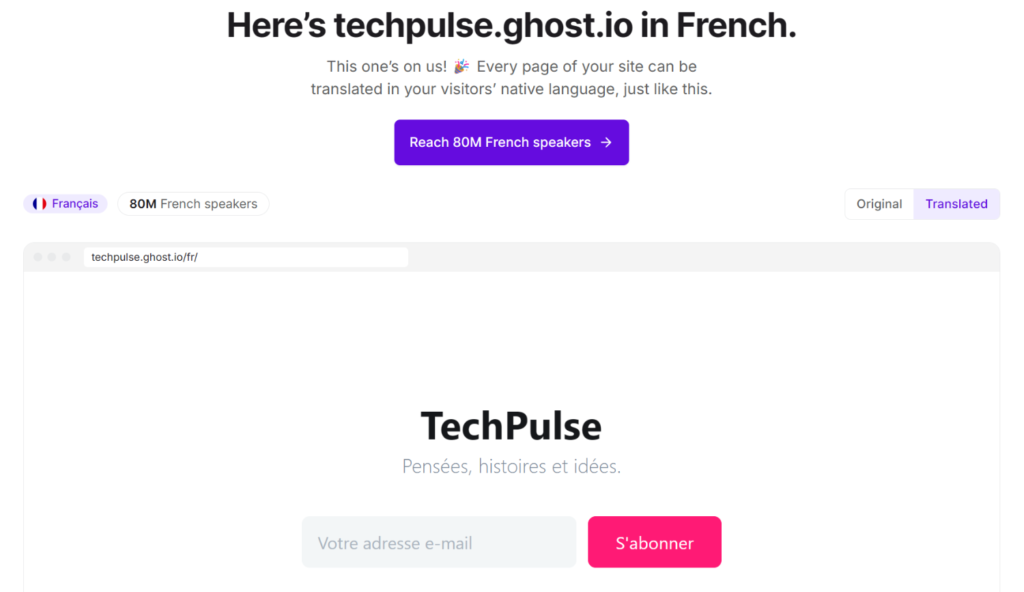
Like what you see? Going live takes about a minute.
First, copy the script tag Universally generates for your project. It will look something like this:
<script src="https://scripts.universally.com/p/YOUR_PUBLIC_KEY/s.js" async></script>Next, open Ghost Admin and go to Settings » Advanced » Code injection.
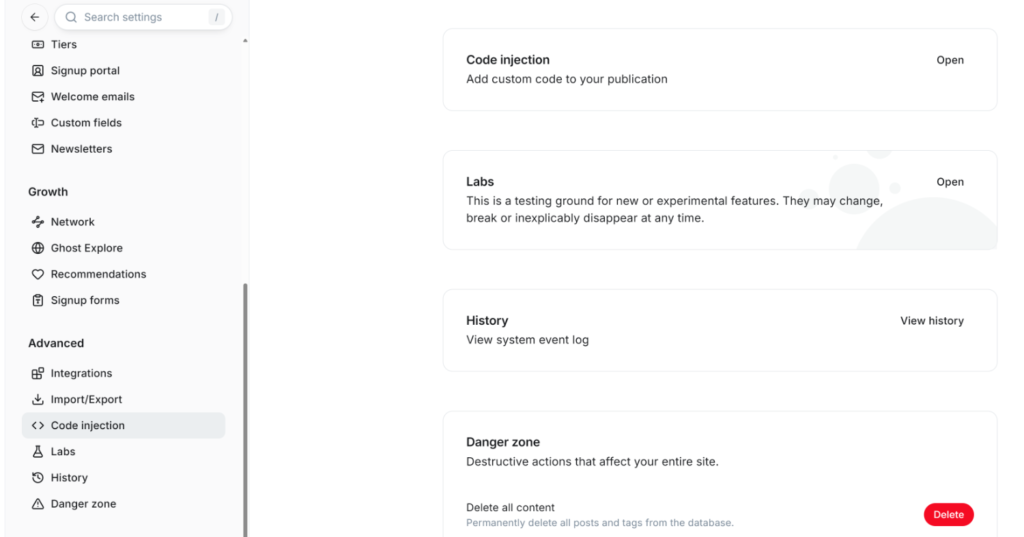
From here, paste the line into the Site header tab and click Save.
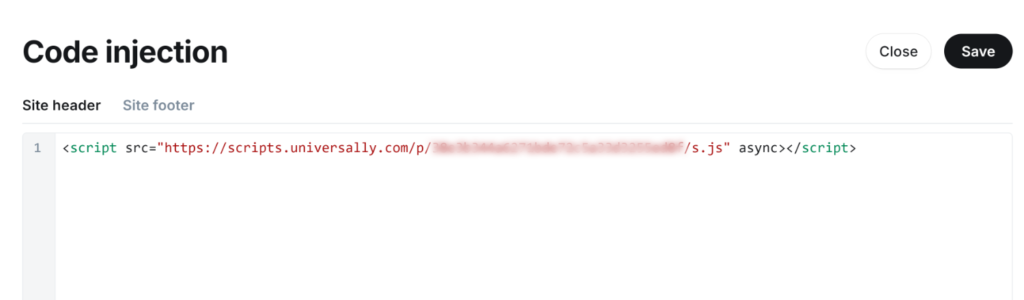
That’s it! The site header loads on every page on its own, so the posts you publish next week are covered too.
Ready for Your Next Post to Travel Further?
The next time you hit Publish, your work doesn’t have to stop at one language.
Universally for Ghost is available now!
Create your project, paste one line into Ghost, and start welcoming readers in 110+ languages.
Get started with Universally for free!
Publishing on Ghost with Universally? We’d love to hear how it goes. Share your questions, report a bug, or suggest a feature through our contact page.


Add a Comment