
You can design, build, and publish a Framer site in an afternoon. But what happens when your first visitor is in Paris? Or São Paulo? Or Seoul?
Suddenly, reaching a global audience can feel like a whole new project.
Not anymore.
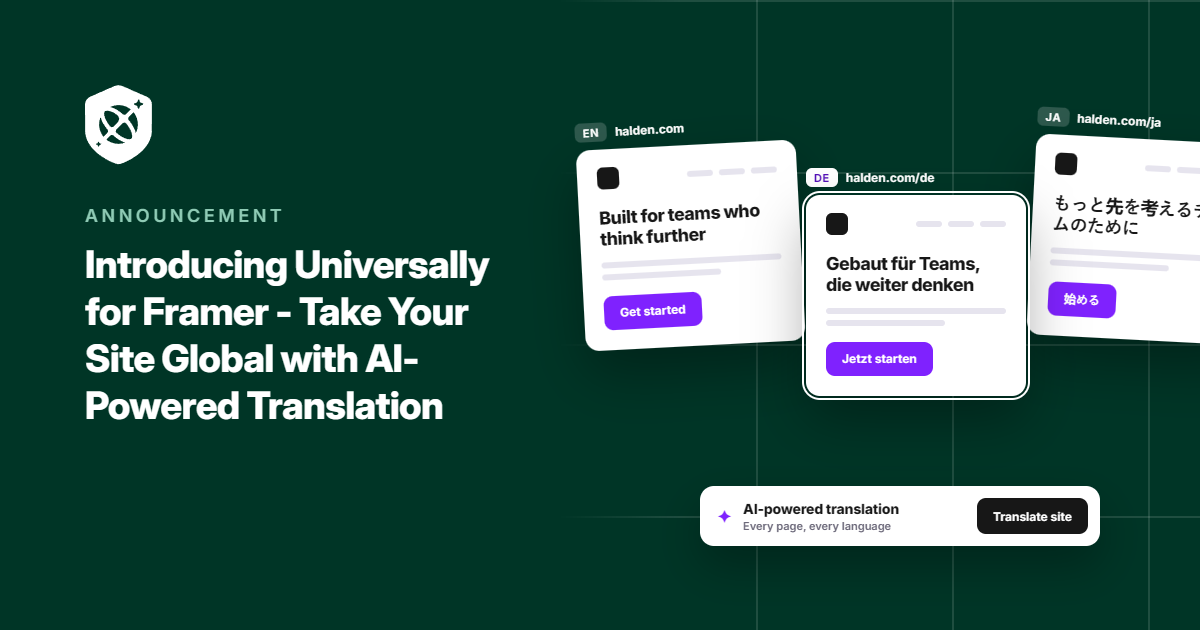
Today, we’re thrilled to introduce Universally for Framer! It’s our newest integration that makes your Framer site multilingual with just one line of code.
Your site can now welcome visitors in 110+ languages, with context-aware AI translations that stay in sync as your site grows and you publish new pages. No rebuilding. No juggling translation files. No slowing down your launch.
Here’s what Universally brings to your Framer site.
Go Global Without Leaving Your Framer Workflow
Part of what makes Framer so fast is that you rarely have to step outside it. Going multilingual shouldn’t send you off to juggle exported files, duplicate pages, or a developer’s calendar.
Universally fits into the Framer setup you already have. It connects through Framer’s built-in custom code settings, so there’s no plugin to install, no DNS records to touch, and your site stays on Framer hosting.
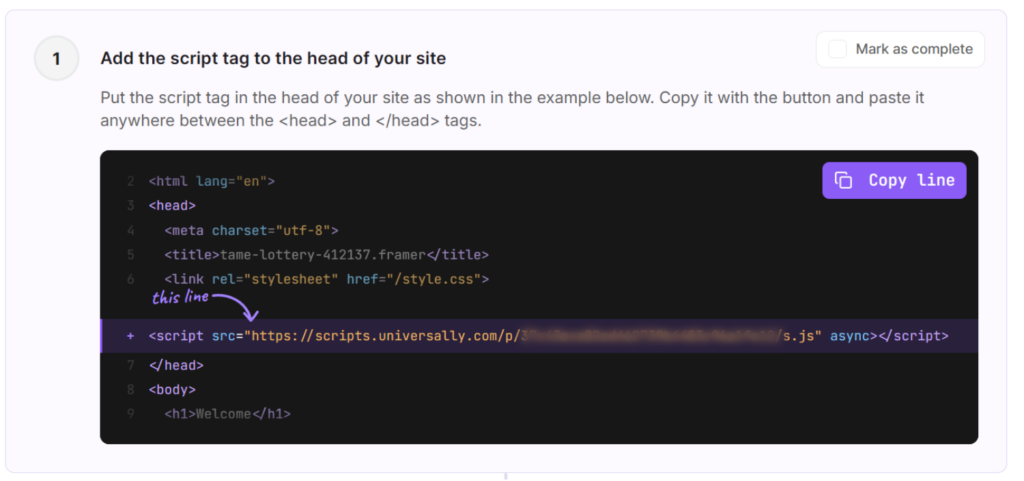
All you have to do is copy the script tag in Universally.
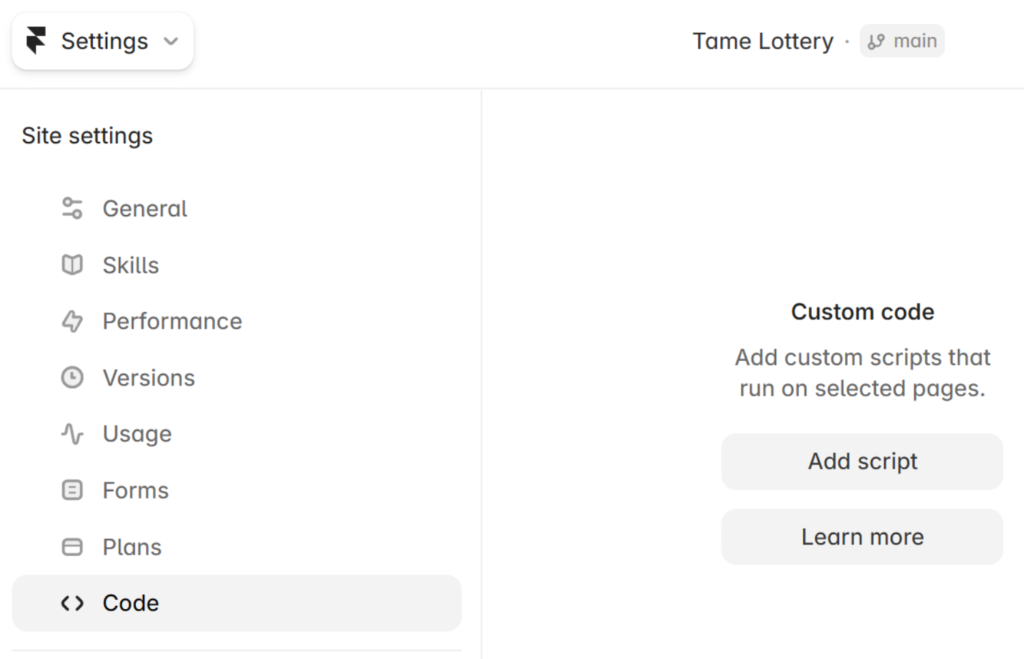
After that, you can head to the Site settings in Framer and open the Code tab.
Then simply click the Add script button.
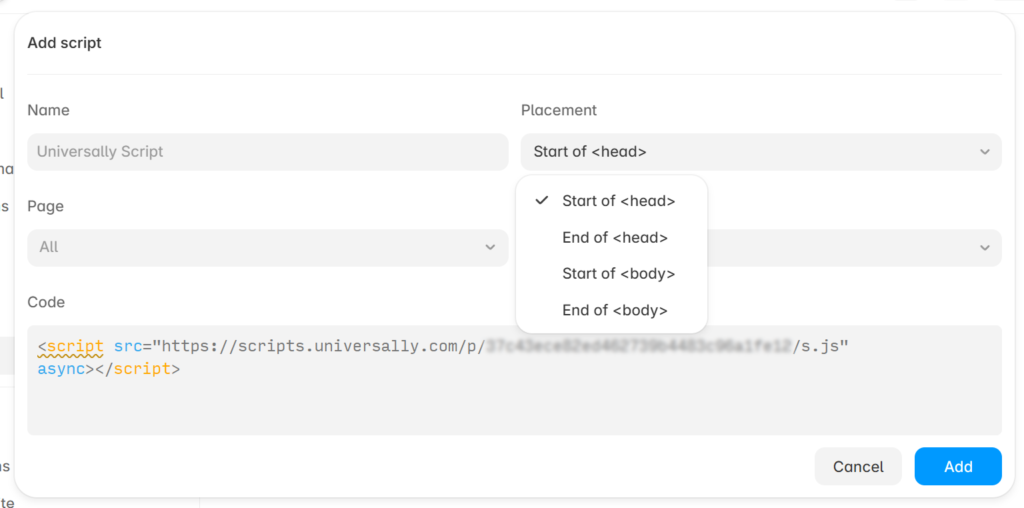
You should now see a new pop-up window to enter the Universally script tag under the Code section.
One more thing: don’t forget to click the Placement dropdown and select Start of <head>.
Once it’s connected and you’ve published the changes, your Framer website will now be available in multiple languages.
The best part? Nothing changes for your visitors until you flip a language’s Live switch, so you can connect your site today and launch your first language when it’s ready.
Our guide to installing Universally on Framer has every screen if you want to get started right away.
Every Page You Publish, Ready in Every Language
A translated site only helps if visitors can find their language. With Universally, the language switcher comes with the integration, so there’s nothing extra to design or build in Framer.
It sits in the top-right corner of your site, showing flags and language names. Visitors pick a language, and the page reloads in it, at the same URL they’re already on.
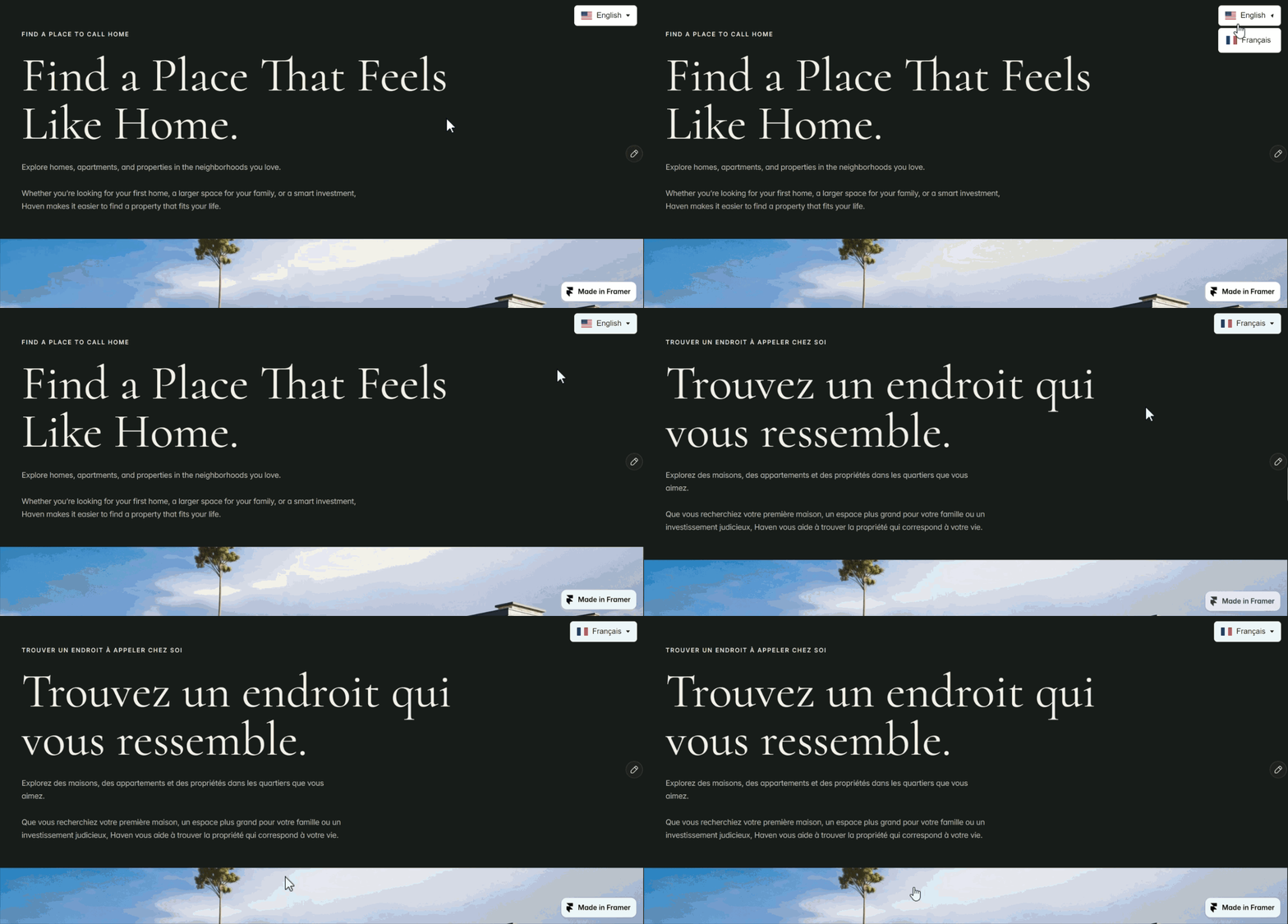
Universally also picks up the text on your public pages and translates it with context-aware AI. That includes the details visitors and search engines notice, like page titles, meta descriptions, and image alt text.
That’s not all! When you add or change text on your Framer site, Universally automatically detects it and translates it, so your other languages keep up with your updates instead of drifting out of date.
And every translation stays yours to review. You can open any string in your Universally dashboard and adjust the wording whenever you want.
Bring Your Framer Site to the World
Universally for Framer is live now. If you’ve been holding off on new languages because of the extra work, this is your moment to add them.
So what are you waiting for? You can create a project, connect your Framer site, and start translating today.
We’d love to hear how it works on your Framer sites, whether it’s your own portfolio or a stack of client projects. If you run into anything or have ideas for what we should build next, get in touch.


Add a Comment