
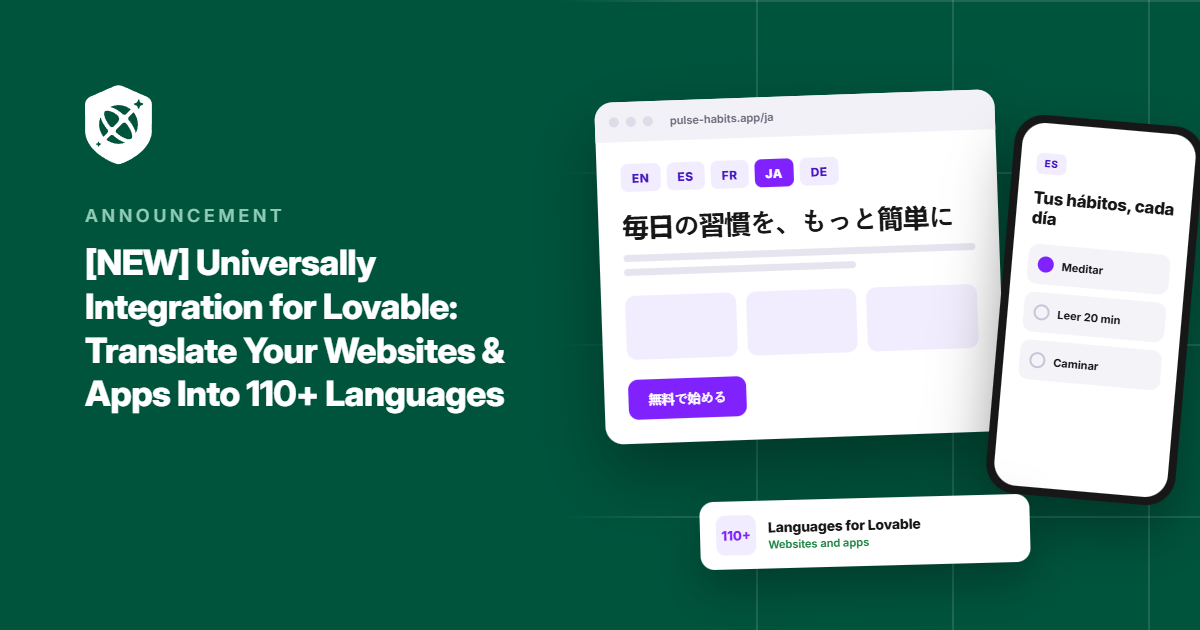
You built your website or app in Lovable by describing what you wanted in a chat window. So when visitors start arriving from Spain, Brazil, or Japan, why should translating it mean digging through code, wiring up translation files, and building a language menu by hand?
That’s why we’re thrilled to introduce Universally for Lovable.
Now you can translate your Lovable website or app into 110+ languages by pasting a single prompt into the Lovable chat. No DNS changes, no plugins, and no new URLs to manage.
Let’s take a closer look at how it works.
Add Universally to Lovable With One Prompt
Your website might be ready for the whole world, but the words on it only reach people who read your language.
Someone in Madrid, São Paulo, or Tokyo who lands on your homepage has to work to understand what you offer. People are far more likely to trust, sign up for, and pay for something they can read comfortably.
Most Lovable builders know this. The problem has always been the effort. Going multilingual meant stepping outside the no-code workflow that made building your site so fast in the first place.
Universally removes that step with Lovable integration.
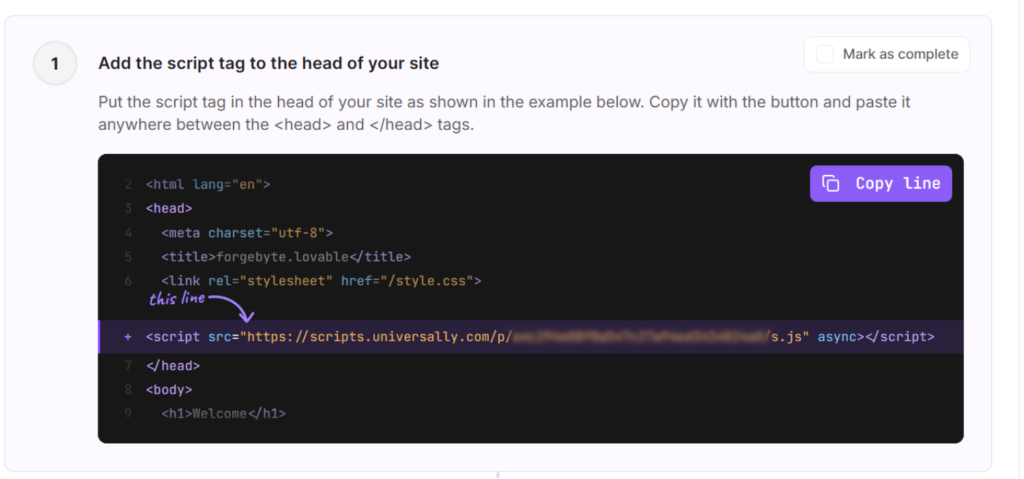
It connects to Lovable through one line of code in your app’s shared <head>. That line loads the language switcher and translates your pages in the visitor’s browser.
<script src="https://scripts.universally.com/p/YOUR_PUBLIC_KEY/s.js" async></script>The best part? You don’t have to touch a single line of code to enter the script in Lovable.
To get started, you can Add Project from your dashboard and select Lovable as the technology. After that, simply enter the details like your domain, project name, and source language.
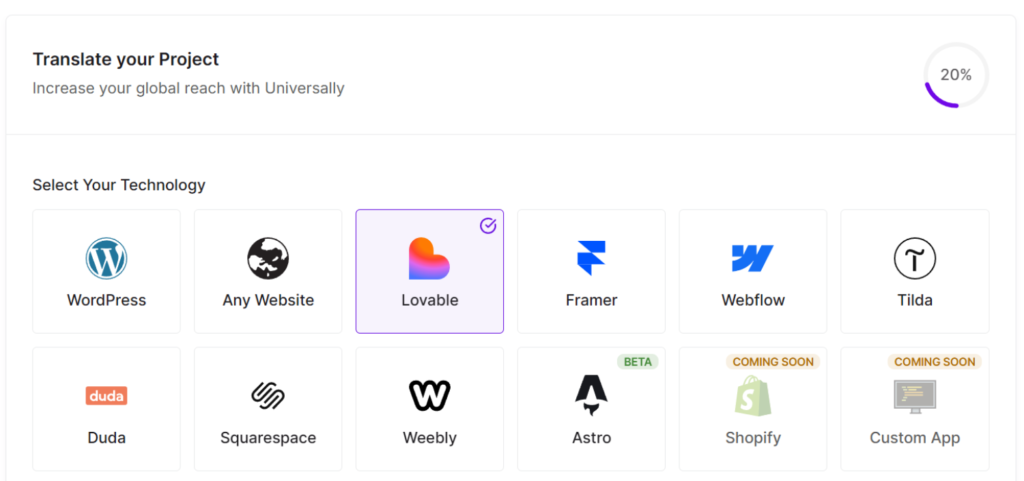
From there, Universally will show you instructions to place the code snippet in your Lovable app or website. Now, you can manually copy the script tag and add it to the head of your site.
But why do all the work manually when you can simply enter a prompt and let Lovable add the script for you?
Go ahead and scroll down to the Add it to your Lovable site section and click Copy prompt under ‘Ask Lovable to add it’.
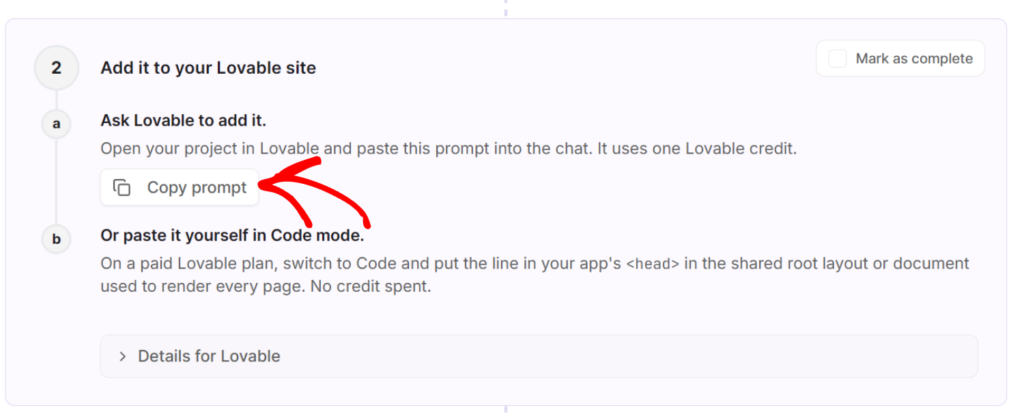
Next, you can paste it into your Lovable project’s chat. One thing to note is that this uses one Lovable credit.
Prefer to add it by hand? On a paid Lovable plan, you can paste the same line into your project in Code mode instead.
Simply click Copy line instead under the ‘Add the script tag to the head of your site’ section, switch to Code mode in Lovable, and paste the line into the <head> of your shared root layout. That route doesn’t use a credit.
Launch New Languages on Your Schedule
Nobody wants customers to see a half-finished translation. And when you’re shipping updates every week, the last thing you need is a translation tool that forces everything live at once.
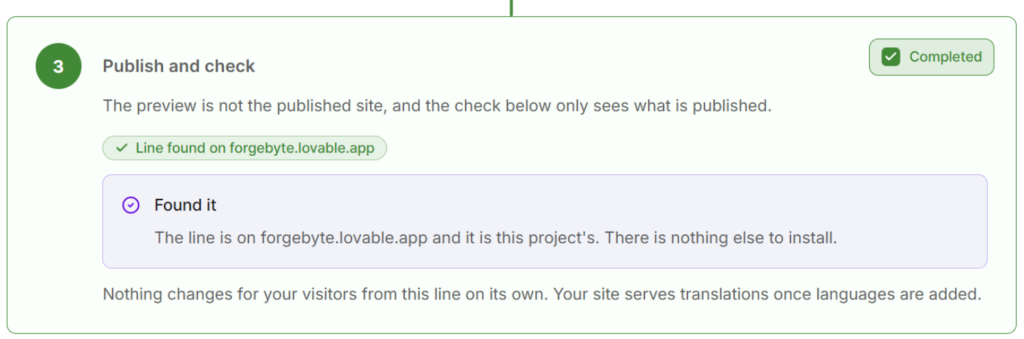
With Universally, installing and launching are two separate moments. Once you publish your site and click Check connection, Universally confirms it’s set up. Your visitors won’t see any change until you add a language, so you can install today and go live whenever you’re ready.
When you are ready, pick your languages and Universally’s context-aware AI translates your page text, page titles, meta descriptions, and details like alt text and form placeholders.
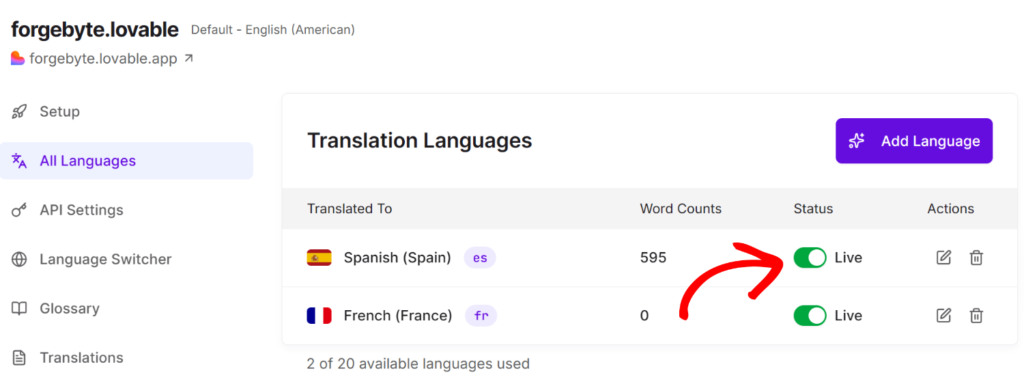
Want to hold one back or pause it later? Turn off its Live switch, and your saved translations stay safe for when you switch it back on.
A Language Switcher That Comes Built-In
First impressions happen fast. If a visitor has to hunt for a language menu, or doesn’t realize one exists, you’ve already lost part of their attention.
With Universally’s Lovable integration, you don’t need to design or build a language menu. The language switcher ships with the script and appears in the top-right corner of your app, with flags and language names. For instance, here’s how it appears on our demo Lovable website:
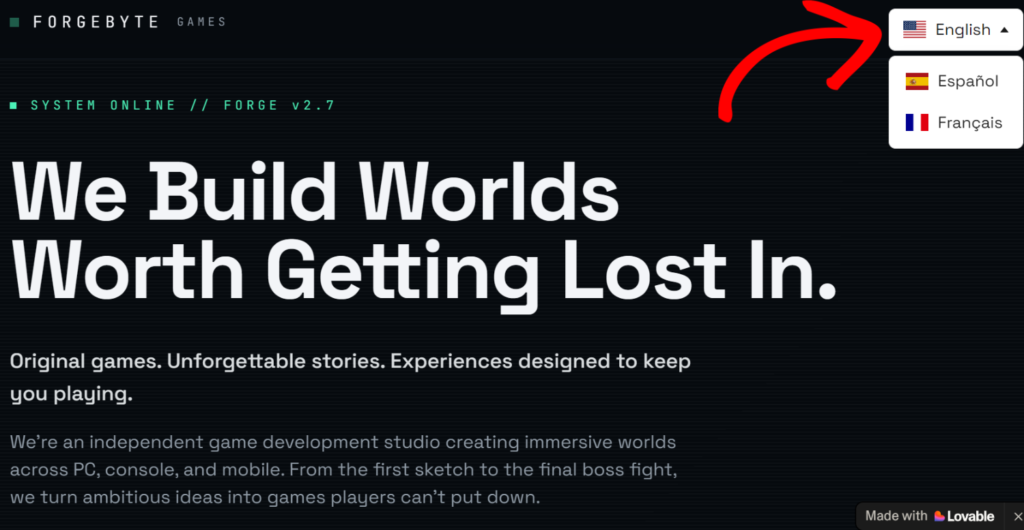
Universally also handles that first moment for you. First-time visitors are matched to their browser language automatically, so someone whose browser is set to French sees your website in French from the very first page. No clicks needed.
Protect Everything You’ve Already Built
Adding languages shouldn’t put your current audience at risk. Universally is designed so it doesn’t.
Your existing search rankings stay exactly where they are. Search engines keep indexing your original pages at the same URLs, since translations are applied in the visitor’s browser.
Your site stays fast, too. The script loads asynchronously, and translations are cached in your visitors’ browsers, so returning visitors see translated text without a flicker.
Your content stays private. Only the page URL leaves the browser, and translations are stored on Universally’s infrastructure, not inside your Lovable project.
To learn more, our detailed documentation on the installation on Lovable walks through every screen.
Try Universally for Lovable Today
You chose Lovable so you could build fast without getting stuck on code. Taking your website global should feel just as easy.
With Universally, visitors from other countries can read your site in their own language, trust what they’re seeing, and take the next step, whether that’s signing up, booking a call, or buying.
You don’t need a developer, a translator, or a localization team to get there. Your URLs, rankings, and speed stay the same, your brand reads the way you want it to in every language, and every update you make in Lovable gets translated along with it.
Universally for Lovable is live now, so give it a try today. Paste one prompt, and your website or app can start speaking to visitors in 110+ languages.
We’d love to hear how it works on your app. If you run into anything or have ideas for what we should build next, get in touch.


Add a Comment