
I created my first-ever WooCommerce store almost 10 years ago. Back then, translating it into multiple languages meant hiring a translator, working with the developer to set up those translations, and making sure the eCommerce store ran perfectly without any hiccups.
Now, times have changed! There are hundreds of translation plugins that can show the contents of your WooCommerce store in any language you want. They’re fast, powerful, and utilize AI to deliver context-aware translations.
I tested and evaluated the most widely used translation plugins specifically for a WooCommerce setup, covering products, variations, cart, checkout, and the overall store. Universally, Weglot and WPML stood out after testing for different reasons, and I’ll explain exactly why below.
In this article, I’ll show you the 8 best WooCommerce translation plugins, how they compare on price and multi-currency support, and how to pick the right one for your store.
Quick Overview: Best WooCommerce Translation Plugins
| # | Plugin | Starting price | Free tier | Architecture | Best for |
|---|---|---|---|---|---|
| 1. | Universally | $7.50/mo | Yes: 1 language, 2,000 words | Cloud | Best AI translation tool for WooCommerce store owners who want products, categories, and checkout translated automatically with no database bloat |
| 2. | Weglot | $17/mo | Yes: 1 language, 2,000 words | Cloud | Stores that want the fastest setup and can budget for word-based pricing as the catalog grows |
| 3. | WPML | €99/yr (~$115/yr) | No (30-day money-back) | Database | Complex WooCommerce stores that need multi-currency, per-currency gateways, and translated order emails |
| 4. | TranslatePress | €99/yr (~$115/yr) | Yes: 2 languages, manual only | Database | Teams that want to translate product pages and checkout copy visually, in context |
| 5. | Polylang | €99/yr (~$115/yr) | Yes: unlimited manual, no WooCommerce | Database | Budget-conscious store owners willing to translate manually and add WooCommerce support only when ready |
| 6. | Falang | Free (WC native) | Yes: full product, variation, and attribute translation | Database | Store owners who want native WooCommerce coverage without a recurring subscription |
| 7. | GTranslate | $12/mo (for indexable pages) | Yes: unlimited words, browser-side only | Browser-side | Sites that want a free, zero-setup language switcher and don’t need real product-level translation or SEO value |
| 8. | MultilingualPress | $149/yr | No | Multisite | Enterprise networks running separate WooCommerce shops per language or region |
How I Tested & Reviewed WooCommerce Translation Plugins
For this comparison, I built a test WooCommerce store: about 40 products across four categories, several with size and color variations, plus a full checkout flow with tax and shipping configured.
I installed each plugin against that same store rather than a blank WordPress site, since a translation plugin’s real behavior only shows up once there’s an actual catalog and checkout to put it through.
I evaluated each plugin across six areas that matter specifically for a store, which included:
- Where translations live: Database plugins store everything inside WordPress, while cloud plugins keep it external. That choice affects both site performance and what happens to your store if you ever cancel.
- Product-level depth: Whether variations, attributes, and shipping classes translate correctly, not just the product title and description.
- Order email coverage: Whether a customer’s order confirmation and shipping notices actually arrive in the language they shopped in. Most comparisons skip this entirely.
- Currency pairing: Can the plugin tie a translated language to a matching currency, or is that a separate purchase on top?
- Cost at real catalog sizes: I priced out a small, medium, and large product catalog rather than quoting only the cheapest entry plan.
- Pricing checked against each vendor’s own site: Verified directly in August 2026, with word-based plans converted to an annual cost at three catalog sizes so the number reflects what you’d actually pay.
Now, let’s look at the best WooCommerce translation plugins you can use today.
1. Universally
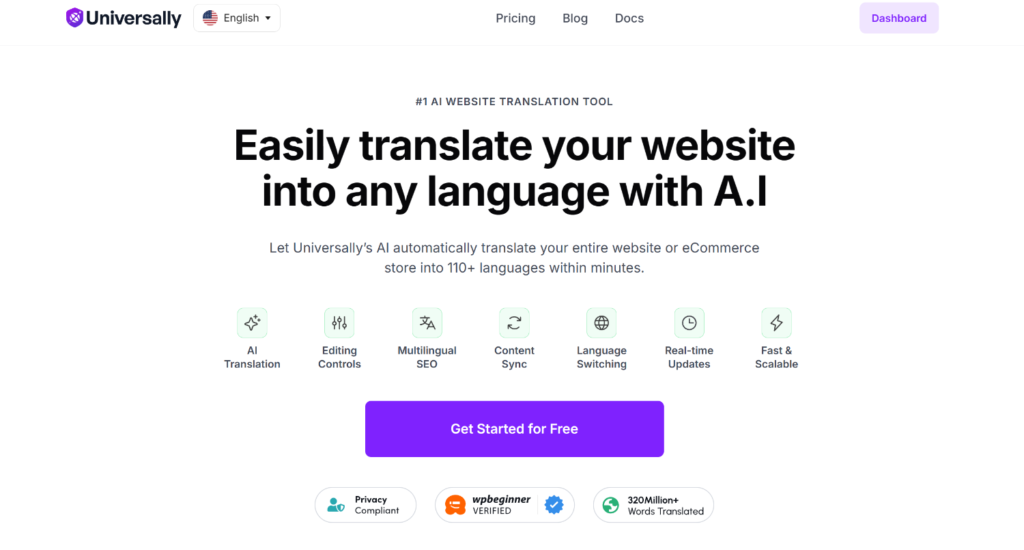
Universally is an AI website translation plugin that translates your entire WooCommerce store into 110+ languages using a context-aware AI engine. Instead of swapping words one for one, it reads for meaning and tone, so translated product pages sound like a native speaker wrote them rather than a dictionary.
Setting it up on a test WooCommerce store took me under 10 minutes. I connected my API key, added two target languages, and the setup wizard handled the rest without asking me to touch a single template file.

During testing, I published a new product with three variations and a custom attribute set. The translated version picked it up automatically on the next page load, no re-saving or manual trigger required.
Categories, cart text, and the checkout flow all came through translated as well, since Universally keeps everything out of the WordPress database and translates the full page output on the fly.
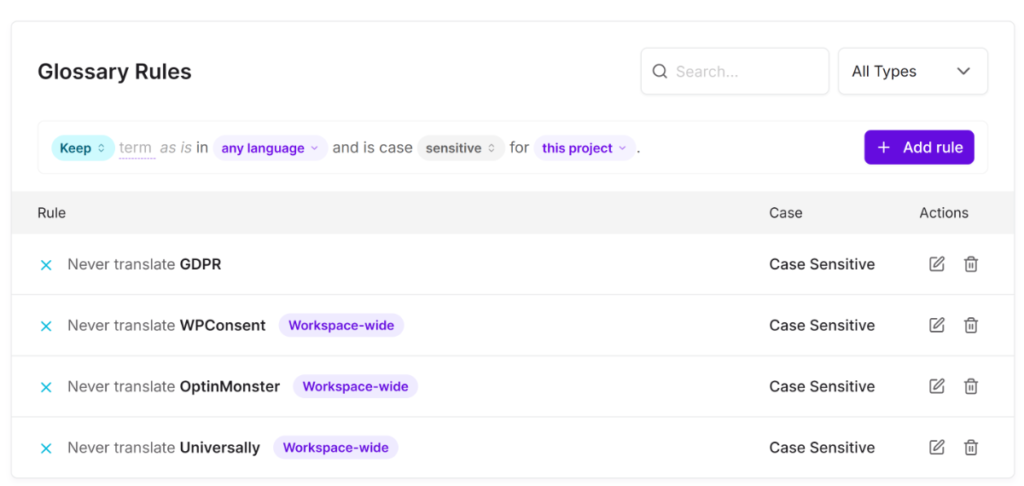
What stood out most was the AI Glossary. On one test product, the AI translated my brand name into an actual word in the target language.
I added it to the glossary once, and it stopped happening across the entire site, not just that one page. Setting one up takes a few minutes, and it’s worth doing before you translate a single product.
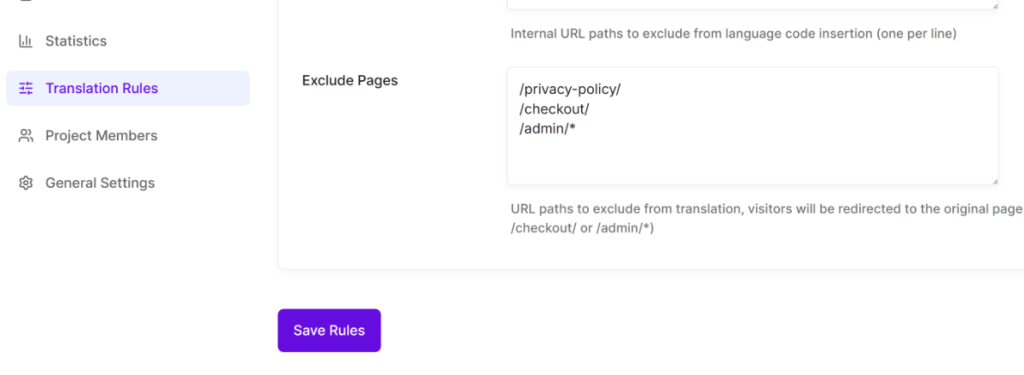
Custom Translation Rules came in handy too.
On a WooCommerce store, that meant excluding an internal staging page from translation entirely rather than having the AI touch pages that were never meant for customers in the first place.
Universally also has a couple of other features worth knowing about. The language switcher ships with several style options, so it can sit as a flag dropdown in the header or a plain text link in the footer without any custom code.
The analytics dashboard also shows which translated pages are actually getting traffic, which matters more for a WooCommerce store than a blog since it tells you which language to prioritize expanding into next instead of guessing.
Pros
- No database bloat, so your product catalog doesn’t add to your WordPress database as you add languages
- Product, category, cart, and checkout translation all worked automatically in testing with no manual setup
- AI Glossary caught a brand name mistranslation and fixed it site-wide with one entry
- Free plan with no credit card required, useful for testing on a staging store before committing
- Automatic detection of new products, so nothing needs to be manually re-triggered after publishing
- Built-in multilingual SEO: hreflang tags, translated metadata, and per-language sitemaps generated without extra setup
- RTL language support out of the box for Arabic and Hebrew storefronts
Cons
- Universally is a newer name in this space compared to some other translation tools
- The free plan covers 1 language and 2,000 words a month, enough to translate a handful of product pages and see how the AI reads before deciding on a paid plan
Why I Recommend Universally: If you want your WooCommerce store translated automatically with no database bloat and no localization team, Universally is built for exactly that. For most store owners who don’t need native multi-currency pairing, it removes the setup barrier that stops multilingual expansion from ever happening.
Pricing
- Free: 1 site, 1 language, 2,000 words/month (no credit card required)
- Starter: $7.50/month (billed annually), 1 site, 1 language, 10,000 words/month
- Business: $15.80/month, 1 site, 3 languages, 50,000 words/month
- Pro (most popular): $40.80/month, 3 sites, 5 languages, 200,000 words/month
- Growth: $124.20/month, 10 sites, 10 languages, 1,000,000 words/month
- Enterprise: custom pricing, unlimited sites, languages, and words
All paid plans include a 14-day money-back guarantee. Get started with Universally for free.
2. Weglot
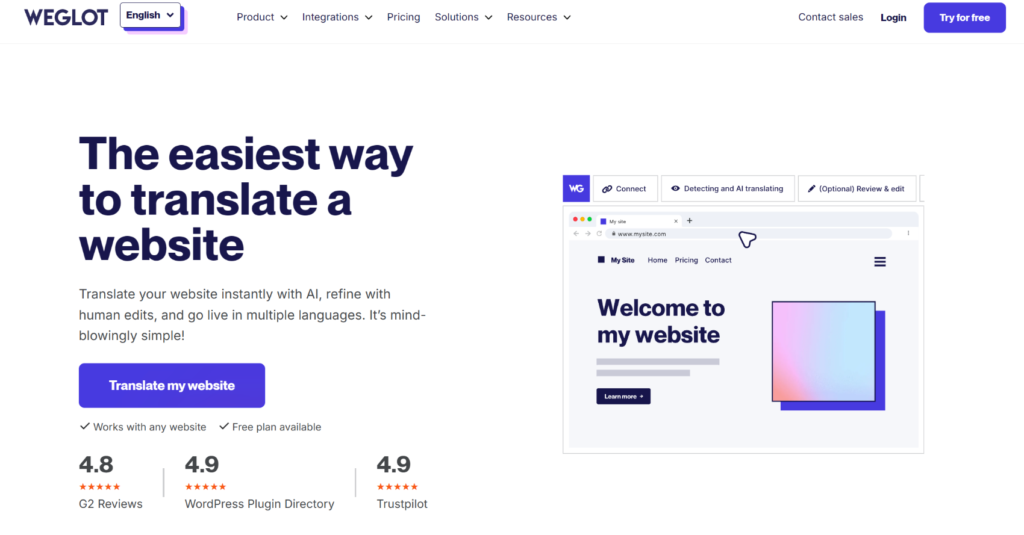
Weglot is a cloud-based translation tool that’s been in the WordPress and WooCommerce translation space for years.
Setting it up on a WooCommerce store took about 10 to 15 minutes, and the process was fairly simple: install, connect the account, pick languages, done. During testing, Weglot caught dynamically rendered cart totals and AJAX-loaded checkout fields that I expected an automatic tool to miss.
What I did not find, even after checking directly, is the order email translation. WooCommerce sends transactional emails like order confirmations and shipping notices server-side through PHP, and those never pass through a browser page request.
Since Weglot’s architecture works by translating what loads in the browser, those emails go out in your site’s default language regardless of which language the customer shopped in. That’s a real gap for a store that sells internationally.
On the other hand, the visual editor is particularly useful for fixing the handful of translations that come back too formal or off-brand, and non-technical staff can use it without developer help.
Pros
- Fastest setup in this comparison for a live multilingual storefront
- Caught dynamic, JavaScript-rendered cart and checkout content automatically during testing
- The visual editor lets non-technical team members fix individual translations without touching code
- Automatic hreflang tags and translated metadata for multilingual SEO
- Works across WordPress themes, page builders, and most third-party plugins without extra configuration
Cons
- Does not translate WooCommerce transactional emails, since server-side PHP emails never pass through the browser-based translation layer
- No native multi-currency support
- Pricing scales with word count, and a growing product catalog pushes past the entry plans quickly
- Content is hosted on Weglot’s CDN, which some stores flag as a data residency concern depending on their market
- Translated pages stop serving immediately if you cancel your subscription
Why I Recommend Weglot: If speed to launch matters more than anything else and your budget can allow word-based pricing as your catalog grows, Weglot gets a WooCommerce store live in multiple languages faster than almost anything else here.
Pricing
- Free: 2,000 words, 1 language, Weglot branding
- Starter: $17/month (1 extra language, 10,000 words)
- Business: $32/month (3 languages, 50,000 words)
- Pro: $87/month (5 languages, 200,000 words)
- Advanced: $329/month (10 languages, 1,000,000 words)
- Extended: $769/month (20 languages, 5,000,000 words)
3. WPML
WPML is the plugin every WooCommerce agency conversation eventually circles back to, and for stores with real complexity, there’s a reason for that.
The setup is not fast. WPML installs as a core plugin plus separate components (String Translation, WooCommerce Multilingual), and the Setup Wizard auto-detects what your site needs and installs the right pieces. The first hour is real configuration work, not translation.
During testing on a store with product variations, multiple shipping classes, and per-currency pricing, WPML was the only plugin in this list that handled multi-currency natively, tied to language, with per-currency payment gateway routing. Order confirmation and shipping emails are also translated correctly, since everything runs server-side inside WordPress rather than through a browser-facing layer.
One thing I’d flag directly: support quality has been inconsistent in recent feedback, and the AI translation credit system has drawn complaints about unclear consumption. If you’re an agency buying this for multiple clients, budget time for that.
Pros
- Only plugin in this comparison with native multi-currency support tied to language, including per-currency payment gateways
- Translates WooCommerce order emails correctly, since translation happens server-side
- Deepest WooCommerce depth overall: variations, attributes, shipping classes, and major extensions (Subscriptions, Bookings) all covered
- Full data ownership, since translations live in your database permanently, even after cancellation
- Setup Wizard auto-detects and installs the right add-ons instead of leaving you to guess
Cons
- Steepest learning curve in this comparison. Expect the first hour to be setup, not content
- Requires installing multiple components rather than one plugin
- Support response times and quality have been inconsistent in recent user feedback
- AI translation credit billing has been described as unclear by multiple users
- Can add a noticeable load on budget hosting with a large product catalog
Why I Recommend WPML: For WooCommerce stores that need multi-currency pricing tied to language, and for agencies managing client stores with real complexity, WPML still does more out of the box than anything else on this list. However, set realistic expectations for setup time and factor in the learning curve before you commit.
Pricing
- Multilingual Blog: €39/year (blog content only, no WooCommerce, no automatic translation)
- Multilingual CMS: €99/year (full WooCommerce Multilingual, multi-currency, automatic translation included)
- Multilingual Agency: €199/year (unlimited sites, agency use)
No free plan. 30-day money-back guarantee.
4. TranslatePress
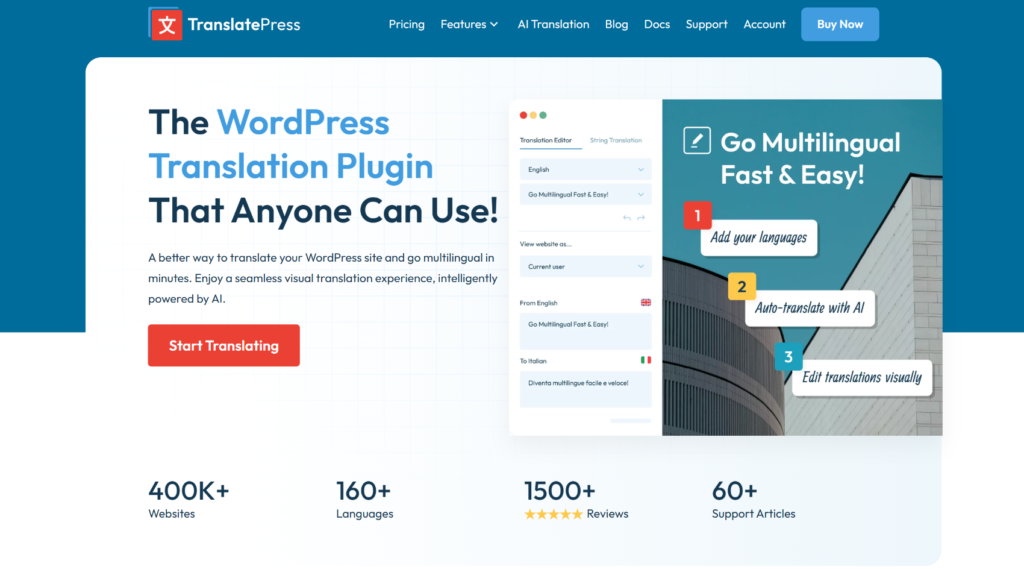
TranslatePress is the next WooCommerce translation plugin on our list, and it takes a different approach: instead of working from the backend, you translate directly on the live page, clicking any element and typing the replacement.
I handed a test WooCommerce store to a team member with no WordPress experience, and she translated a dozen product pages and the checkout flow in an afternoon using the visual editor alone. That kind of accessibility doesn’t exist in other plugins, such as WPML or Polylang.
During testing, product titles, descriptions, attribute labels, and checkout copy all translated visually, exactly as a shopper would see them. Order confirmation emails are also translated correctly, since TranslatePress runs server-side inside WordPress as WPML does.
One thing worth flagging: on a store with heavily customized AJAX cart behavior, a couple of dynamically injected elements needed a manual pass in the visual editor rather than being translated automatically. It’s not a dealbreaker, but don’t assume full AJAX coverage without checking your specific setup.
Pros
- Best visual, in-context editing experience in this comparison for reviewing product and checkout copy
- Translates WooCommerce order emails correctly, since it runs server-side
- Flat annual pricing regardless of catalog size
- Full data ownership, with translations stored in your own database
- Non-technical team members can translate a full storefront without developer help
Cons
- Struggled with some heavily customized AJAX cart elements during testing, requiring manual review
- No native multi-currency support
- AI translation credit system can be confusing
- Free version limited to 2 languages with manual translation only, no SEO Pack
- Database-stored translations grow with your catalog, worth monitoring on very large stores
Why I Recommend TranslatePress: If anyone on your team needs to see exactly what a shopper sees while translating product pages or checkout copy, TranslatePress is the clearest choice here. The flat annual pricing also means a large catalog doesn’t cost more than a small one.
Pricing
- Free: 2 languages, manual translation only, no SEO Pack
- Personal: €99/year (1 site, 50,000 AI-translated words, SEO Pack included)
- Business: €199/year (3 sites, 200,000 AI-translated words, DeepL integration, translator accounts)
- Developer: €349/year (unlimited sites, 500,000 AI-translated words)
All plans include a 15-day money-back guarantee.
5. Polylang
Polylang’s free tier is one of the most honest in the WordPress directory: no word limits, no time limits, no forced upgrade. It just doesn’t include WooCommerce support out of the box, and that’s the detail that matters most for this list.
During testing, the free version handled standard posts and pages manually without issue. The moment I tried to translate a WooCommerce product, it became clear that WooCommerce support requires the separate Polylang for WooCommerce add-on, purchased in addition to Polylang Pro.
Once both add-ons were active, product variations, attributes, categories, tags, and shipping classes all translated correctly, and Polylan integrated with major WooCommerce extensions like Subscriptions and Bookings.
What it doesn’t do natively is multi-currency. That requires a third-party plugin layered on top, like most others on this list, except WPML.
Pros
- Actually free for manual, non-WooCommerce translation with no restrictions
- Once fully configured, WooCommerce depth covers variations, attributes, and major extensions
- Lightweight and native to WordPress, so a translated store loads as fast as a single-language one
- No vendor lock-in, since everything lives in your own database
- Active community support forum for free-tier users
Cons
- WooCommerce support is not included in the free version. It requires Polylang Pro plus a separate WooCommerce add-on
- No AI or automatic translation in the free tier
- No native multi-currency support
- No visual editor. All translation happens in the WordPress backend
- Page builder compatibility can be inconsistent with some Elementor edge cases and Breakdance
Why I Recommend Polylang: If you’re not sure yet whether translating your WooCommerce store is worth the investment, Polylang lets you test manual translation for free before paying for anything. Once you’re ready for WooCommerce and automatic translation, the upgrade path is clear, just budget for both add-ons together.
Pricing
- Free: unlimited manual translation, no WooCommerce support, no AI
- Polylang Pro: €99/year (slug translation, DeepL automatic translation, priority support)
- Polylang for WooCommerce: €99/year (required separately for any WooCommerce coverage)
- Polylang Business Pack: €139/year (Pro and WooCommerce bundled, cheaper than buying separately)
6. Falang
Falang is a translation plugin built specifically around WooCommerce, rather than treating a store as an afterthought bolted onto blog translation.
It translates products, variations, categories, and attributes directly through WordPress’s own meta fields, with no extra database tables added.
During testing, all of that worked on the completely free version available on WordPress.org, no add-on required, which goes further than Polylang’s free tier does for WooCommerce.
What the free version doesn’t include is order email translation. That’s a Pro-only feature, along with ChatGPT and DeepL integration for automatic translation and an on-page popup translation tool.
I’d flag two things directly. First, Falang isn’t built for WordPress multisite, so if you’re planning to scale that way later, plan around it now. Second, the automatic translation services it connects to (Google, Azure, DeepL, ChatGPT) bill separately from Falang’s own license, so factor that into your real cost, not just the plugin price.
Pros
- Free tier translates WooCommerce products, variations, categories, tags, and attributes natively, no add-on required
- Lightweight architecture with no extra database tables, translations stored in meta
- Pro tier adds WooCommerce order email translation at a one-time-feeling annual cost, not a per-word subscription
- Open-source and GPL-licensed, so you can use it indefinitely, even without renewing
- 30-day money-back guarantee on Pro licenses
Cons
- Order email translation, ChatGPT integration, and DeepL support all require the Pro version
- Automatic translation services (Google, Azure, DeepL, ChatGPT) bill separately from the plugin license
- No visual front-end editor for reviewing translations in context
Why I Recommend Falang: If you want native WooCommerce product and attribute translation without committing to a recurring subscription, Falang’s free tier already does real work, and the Pro tier is a modest annual cost rather than a word-metered bill.
Pricing
- Free: WooCommerce product, variation, category, tag, and attribute translation, no on-site support
- Basic: €44.90 (1 site, 6 months of updates and support)
- Standard: €79.90 (1 site, 1 year of updates and support)
- Business: €119.90 (unlimited sites, 1 year of updates and support)
30-day money-back guarantee on all paid tiers. Automatic translation service costs (Google, Azure, DeepL, ChatGPT) are billed separately by those providers.
7. GTranslate
Translate WordPress with GTranslate is the plugin people reach for when the budget is truly zero, and it delivers exactly what that promise implies, nothing more.
The free version took me under 5 minutes to set up: install, pick a widget style, done. A language switcher appeared on the storefront immediately, and visitors can click through to see the page rendered in their language.
During testing, that’s also where it stopped being useful for a real WooCommerce store. The free tier translates in the visitor’s browser using JavaScript, which means Google can’t crawl or index those pages.
Product pages, cart, and checkout all display translated text to a visitor, but none of it exists as a real, indexable page in another language. As a result, you may see an impact on your multilingual SEO or organic traffic from other markets.
The paid tiers fix the indexing problem with real subdirectory URLs and hreflang tags, but even at the top tier, GTranslate doesn’t add WooCommerce-specific depth like multi-currency or order email translation. It’s a language switcher with SEO options bolted on, not a WooCommerce translation tool.
Pros
- Actually free with no word or pageview limits on the free tier
- Fastest setup in this entire comparison, live in under 5 minutes
- 103+ languages supported out of the box
- Paid tiers add real indexable URLs, hreflang tags, and in-context editing
- RTL language support is included even on the free tier
Cons
- The free tier is invisible to search engines, so it provides no multilingual SEO value
- No WooCommerce-specific depth: no multi-currency, no order email translation, no product attribute-level review
- Translation quality on the free tier is limited to raw automatic output with no editing option
- No glossary or brand term protection on any tier
- Per-site licensing means a multi-site business needs a separate subscription for each domain
Why I Recommend GTranslate: If you need a free, no-friction way for visitors to read your storefront in their own language, and you’re not counting on multilingual SEO or deep WooCommerce coverage to drive sales, GTranslate does that specific job well.
Pricing
- Free: $0/month, unlimited words and pageviews, browser-side widget, no SEO value
- Custom: $12/month or $120/year billed annually (1 extra language, AI translation, search engine indexing, in-context editing)
- Startup: $25/month or $250/year billed annually (all languages, AI translation, search engine indexing, in-context editing)
- Business: $35/month or $350/year billed annually (adds translated URL slugs on top of the Startup plan)
- Enterprise: $50/month or $500/year billed annually (adds language-specific hosting on top of the Business plan)
8. MultilingualPress
MultilingualPress translates a WooCommerce store by splitting it into separate WordPress sites, one per language, connected through WordPress Multisite rather than a shared translation layer.
It’s built for networks that need real operational separation between languages, not stores that just want one catalog reachable in more than one language.
Setting it up requires an active WordPress Multisite network already in place. Each language site keeps its own database and its own WooCommerce installation, which is why there’s no added overhead on every request the way a translation layer would create.
During testing, page load times on each language site were indistinguishable from a single-language WordPress install, which is the entire point of the architecture. What that independence costs you is centralization.
Each language site manages its own WooCommerce inventory, pricing, and stock levels separately, with no built-in sync across sites. If a product sells out in your English store, your German store doesn’t automatically know that.
Plus, the AutoTranslate feature integrates with DeepL, OpenAI, and Amazon Translate to copy content between sites, but it doesn’t reach page-builder-rendered content, so that still needs manual attention.
Pros
- Best architecture in this comparison for large multisite networks, since each language site performs as a standalone WordPress install
- Full editorial and operational independence per language site
- Integrates with DeepL, OpenAI, and Amazon Translate for content copying between sites
- Automatic hreflang and SEO-friendly URLs out of the box
- Each language site remains a fully functional WordPress install even if you stop using the plugin
Cons
- No centralized WooCommerce inventory or pricing sync across language sites
- AutoTranslate doesn’t cover page-builder-rendered content
- No visual translation editor. All content work happens inside each site’s own admin
- No free version to test before buying
- Overkill, and notably complex, for a single WooCommerce store trying to sell in multiple languages
Why I Recommend MultilingualPress: MultilingualPress is the right choice only for organizations running a true WordPress multisite network with separate regional or language teams who need independent WooCommerce operations.
Pricing
- Pro: $149/year (2 languages)
- Professional: $499/year (6 languages)
- Advanced: $899/year (12 languages)
- Enterprise: $1,499/year (unlimited languages)
No free version available.
Which Plugin Is Right for Your WooCommerce Store?
The 8 plugins above cover every type of WooCommerce store, but there’s usually one clear fit depending on what you’re optimizing for.
For most WooCommerce store owners, Universally is the best choice on this list. It translates your entire store automatically with no database bloat and no localization team, handling products, categories, cart, and checkout content on its own from the moment you connect it.
The AI Glossary protects your brand name and product terms without extra setup, Custom Translation Rules let you keep pages you don’t want touched out of the mix, and the free plan lets you test the translation quality on a staging site before committing to anything paid. If you’re not sure where to start, start here.
The runner-up is Weglot. If speed to launch matters most and your budget can absorb word-based pricing as your catalog grows, Weglot gets a WooCommerce store live in multiple languages faster than almost anything else here.
Just build the order email gap into your decision if you’re selling into markets where customers expect email in their own language.
WPML rounds out the top three. If multi-currency pricing tied to language is non-negotiable, or you’re an agency managing a store with real complexity like custom shipping classes and subscription products, WPML is the most complete option on this list.
It’s also the safest choice if the order emails matter to your store and you don’t want to double-check that separately.
What to Look for in a WooCommerce Translation Plugin
When you’re choosing a translation plugin for your WooCommerce store, here are four things worth having in mind:
- Order email coverage: cloud plugins that translate your storefront by intercepting page requests often can’t touch emails your server sends directly through PHP, since those never pass through a browser. If a French customer needs to read their shipping confirmation in French, confirm this before you commit.
- Multi-currency pairing: translating your store into German doesn’t help a German shopper if prices still show in US dollars. WPML pairs language and currency natively. Most other plugins need a separate currency switcher plugin layered on top.
- Product-level depth: check whether the plugin translates variations, attributes, and shipping classes, not just the product title and description. A store selling shirts in five sizes and six colors needs attribute-level translation, not just a translated headline.
- Pricing model at your catalog size: word-based plugins (Universally, Weglot) scale with your total product content. Flat-fee plugins (WPML, TranslatePress, Polylang, Falang) stay the same regardless of catalog size, but ask you to handle setup and, in some cases, ongoing translation credits yourself.
Frequently Asked Questions
1. What Is the Best Free WooCommerce Translation Plugin?
Falang’s free tier is the strongest option for genuine WooCommerce coverage at no cost, since it translates products, variations, categories, and attributes natively. Polylang’s free tier is excellent for manual translation but excludes WooCommerce entirely without a paid add-on. For free automatic AI translation, Universally’s free plan covers one language and 2,000 words per month with no credit card required.
2. Do WooCommerce Translation Plugins Slow Down My Store?
Database plugins like WPML, TranslatePress, Polylang, and Falang add queries as your translated catalog grows, which can matter more on a large store than a small blog. Cloud plugins like Universally and Weglot handle translation externally, so there’s no added database load, though page weight can increase slightly from the translation layer itself.
3. Which Plugin Handles Multi-Currency and Order Emails Best?
WPML is the only plugin in this comparison with native multi-currency support tied to language, including per-currency payment gateways, and it translates order confirmation emails correctly since it runs server-side. TranslatePress and Falang’s Pro tier also translate order emails. Cloud plugins like Weglot don’t, since transactional emails never pass through their browser-based translation layer.
4. What Happens to My Translations if I Cancel?
Database plugins (WPML, TranslatePress, Polylang, Falang) keep your translations working after cancellation, since they live in your WordPress database. You lose access to updates and any AI credits, but the content stays. Cloud plugins (Universally, Weglot) stop serving translated pages once your subscription lapses, since the content lives on external servers.
5. Does Translating My WooCommerce Store Hurt SEO?
Only if the plugin doesn’t create real, indexable URLs for each language. GTranslate’s free tier translates in the visitor’s browser using JavaScript, which Google can’t crawl or index at all. Plugins that generate genuine subdirectory URLs, hreflang tags, and translated product metadata let Google rank each language version of your store independently.
6. How Many Languages Should I Start With for My WooCommerce Store?
Most stores see the clearest return starting with one or two languages that match an existing customer base or traffic pattern, rather than launching five languages at once. Check your analytics for the countries already visiting your store in their local language, and expand from there once you’ve confirmed conversions actually improve.
With that, I hope this article helped you find the best WooCommerce translation plugin for your store. You may also want to check out my guides on how to create a multilingual WooCommerce store in 3 easy steps and our list of the best WordPress translation plugins.


Add a Comment