
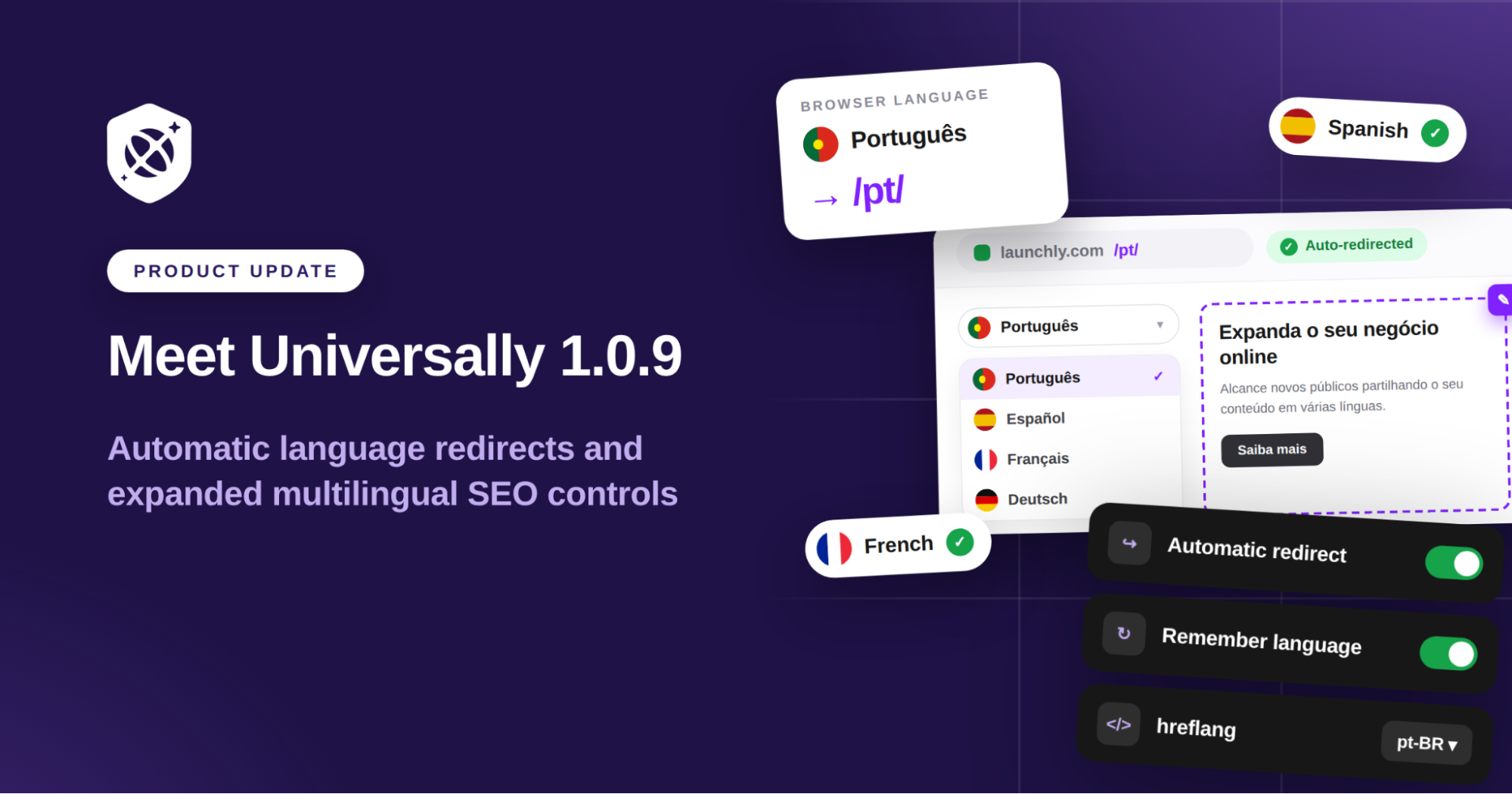
We’ve just released Universally for WordPress 1.0.9, with new updates designed to make your multilingual website easier to manage and even easier for international visitors to use.
A big part of what we’re building at Universally is about removing the extra steps that come with running a multilingual website.
Your visitors shouldn’t have to work out whether your site is available in their language. And you shouldn’t have to build complicated redirects or manually manage different visitor experiences to make that happen.
So with 1.0.9, we’ve made that experience much simpler, while giving you more control over how your multilingual site works behind the scenes.
Here’s what’s new.
Automatic Language Redirect
Visitors can now automatically land on your website in the language that matches their browser.
If someone with their browser set to Portuguese opens your English homepage, Universally can take them straight to /pt/, without them having to search your website for the language switcher or change anything themselves.
When someone lands on your website for the first time, you want to make it as easy as possible for them to understand what you offer.
If you’ve already translated your site into their language, asking them to find a language switcher first is an unnecessary extra step.
With automatic Language Redirect, Universally detects the visitor’s browser language and, when you have a matching translation available, takes them straight to it.
For example:
Browser language: Portuguese → Visitor lands on /pt/
There’s nothing for them to select first. They can simply arrive and start browsing.
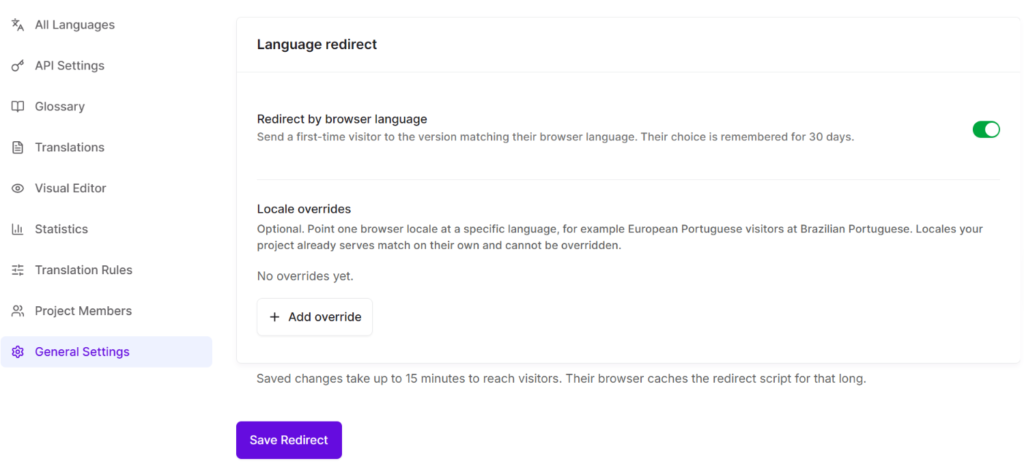
You can turn Language Redirect on with one switch from your Universally dashboard. There are no additional settings to configure inside WordPress. Simply head to the General Settings tab and enable the Redirect by browser language option.
Your visitors still stay in control!
Automatic Language Redirect helps create a smoother first experience, but your visitor’s own preference always takes priority.
If they switch to another language, or back to your website’s original language, Universally remembers that choice for 30 days.
So if their browser is set to Portuguese but they prefer to browse your website in English, they only need to choose English via the language switcher once. When they return to your website during the next 30 days, they’ll stay on the English version rather than being redirected back to Portuguese.
That means visitors can set the language they prefer once and keep browsing that way when they come back.
More Control Over How Google Understands Your Translations
Not every multilingual website targets languages in the same way.
You might have one French translation intended for French speakers everywhere. Or you might have a translation created specifically for visitors in France.
Universally 1.0.9 gives you more control over that distinction.
You can now choose whether your translated pages are announced to search engines using language and region, such as:
fr-FR
pt-BR
or by language only:
fr
pt
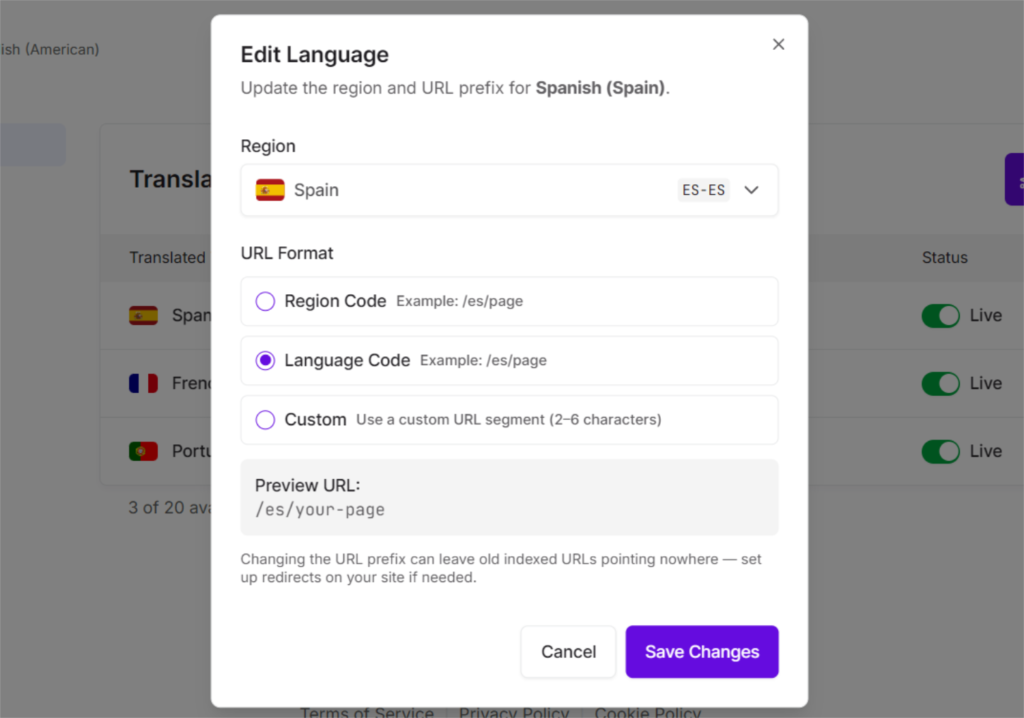
If you have one French translation for French speakers generally, for example, you can use fr rather than tying that translation specifically to France.
It gives you more control over how your site is structured for multilingual SEO, without having to manage the underlying hreflang implementation yourself.
Existing sites will keep their current behaviour unless you choose to change it.
Choose Whether Language Preferences are Remembered
Because not every website uses a language switcher in the same way, Universally’s 1.0.9 also gives you control over whether visitor language preferences are stored at all.
A new Remember visitor’s language setting is now available under Preferences and is switched on by default.
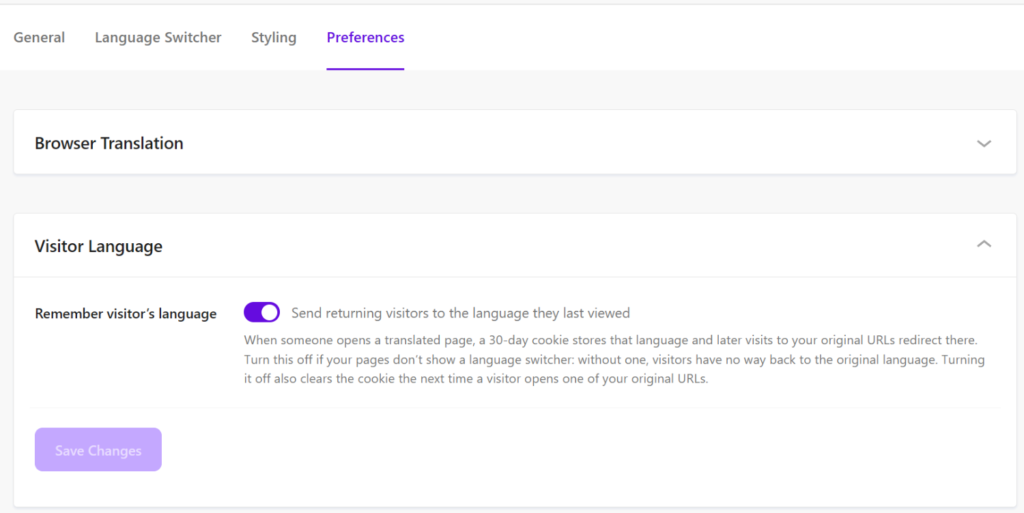
If your website doesn’t show a visible language switcher, you can turn this setting off. That way, a visitor won’t remain on a translated version of your site if they have no obvious way to change languages themselves.
It gives you more control over how language preferences behave based on the experience you’ve designed for your site.
More Flexibility for Developers and Agencies
We know Universally also needs to work well on WordPress sites that go beyond the standard setup.
That’s why 1.0.9 adds 15 new developer filters across the plugin.
These give developers more control over areas including:
- hreflang tags
- available languages
- language URLs
- excluded pages
- browser translation prevention
- language switcher output
For agencies and developers managing more customised WordPress builds, that means more flexibility to adapt Universally to the site rather than working around the plugin.
Make Your Language Switcher Fit Your Site
Your language switcher should look like part of your website, not something sitting on top of it.
The Styling tab now includes a Transparent background option, so you can place your language switcher inside different headers and footers without needing a coloured box behind it.
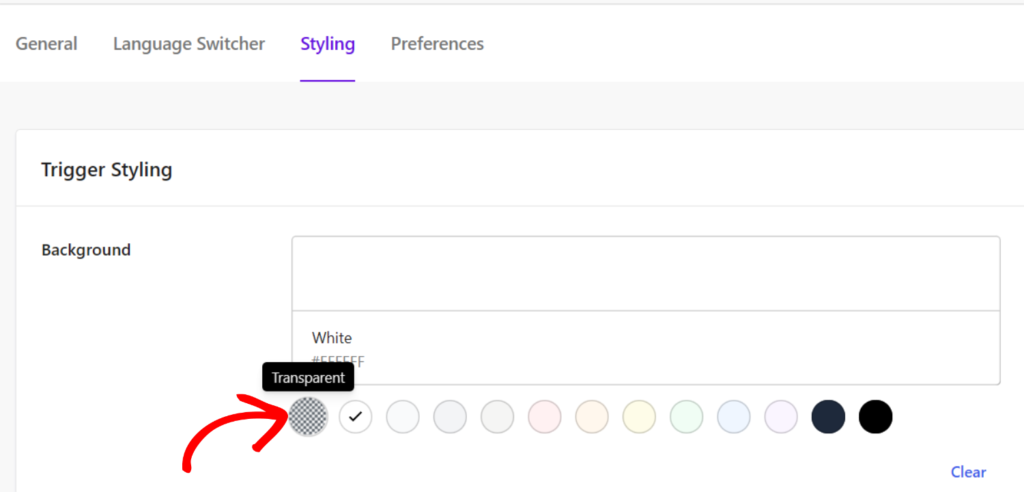
We’ve also updated the colour controls so each field now shows the actual default colour being used.
That makes it much easier to see what you’re starting with before you make any changes.
Cleaner Multilingual URLs for Search Engines
We’ve made some improvements behind the scenes too.
WordPress feeds and sitemaps will no longer be served underneath translated language URLs.
So URLs such as /es/feed/ and /es/sitemap.xml will now point back to the original rather than displaying untranslated content beneath a translated URL.
The result is a cleaner multilingual site structure and less opportunity for duplicate or misleading URLs to be indexed by search engines.
We’ve also fixed the way Universally handles visitors who choose to switch back to your site’s original language. That choice is now remembered properly, so they won’t be sent back to a translated version the next time they visit.
We’ll Let You Know If Your Permalink Settings Need Attention
Universally creates clean language URLs such as /es/, /fr/ and /de/.
For those URLs to work, your WordPress site needs to use pretty permalinks rather than the Plain permalink structure.
If Universally detects that your site is using Plain permalinks, you’ll now see a clear warning inside the plugin along with a shortcut to change the setting.
Instead of finding out something is wrong after trying to publish your translations, you can fix it straight away.
Update to Universally 1.0.9
Universally for WordPress 1.0.9 is available now.
Update the plugin from your WordPress dashboard to get the latest improvements.
Then, if you want visitors to automatically arrive on the right translated version of your site, head to your Universally dashboard and switch on Automatic Language Redirect.
After turning the setting on or off, allow up to 15 minutes for the change to reach visitors while browsers refresh their cached Universally script.
We’re always working on ways to make Universally easier to use and more useful for the websites you’re building.
If there’s a feature, improvement, or update you’d like to see next, we’d love to hear it! Reach out to us and let us know.


Add a Comment