

If you’ve been putting off translating your WordPress site because choosing the right plugin feels overwhelming, you’re not alone. Dozens of plugins, conflicting recommendations, and pricing that only makes sense once you’re already deep in it make this a hard decision to start.
This article cuts through that. I compared seven WordPress translation plugins on the criteria that actually matter: how they store translations, how they handle multilingual SEO, how pricing scales as your content grows, and what real users say about working with them every day.
To find the best options, I tested and evaluated the most widely used WordPress translation plugins. And after using multiple tools, the ones that consistently stood out were Universally, Weglot, and WPML.
In this article, I’ll show you the best WordPress translation plugins, how they compare on price, SEO, and WooCommerce support, and how to pick the right one for your site.
Quick Overview: Best WordPress Translation Plugins
| # | Plugin | Starting price | Free tier | Architecture | Best for |
|---|---|---|---|---|---|
| 1. | Universally | $7.50/mo | Yes: 1 language, 2,000 words | Cloud | Best AI translation tool for WordPress site and WooCommerce store owners who want to go global in minutes, no code, no database bloat |
| 2. | Weglot | $17/mo | Yes: 1 language, 2,000 words | Cloud | Sites that need to go multilingual fast and have the budget to match at scale |
| 3. | WPML | $113/yr | No (30-day money-back) | Database | Complex sites and agencies needing deep WooCommerce customization |
| 4. | TranslatePress | $113/yr | Yes: 1 language, manual only | Database | Teams that need to translate in-context with a visual editor |
| 5. | Polylang | Free | Yes: unlimited manual translation | Database | Budget-conscious site owners who can translate manually |
| 6. | Translate WordPress with GTranslate | Free | Yes: 103 languages | Browser-side | Sites that want a free, zero-setup language switcher with no word limits |
| 7. | MultilingualPress | $146/yr | No | Multisite | Enterprise networks with separate editorial teams per language |
How I Tested & Reviewed WordPress Translation Plugins
I’ve been working in the WordPress ecosystem for over 10 years, testing hundreds of plugins across client sites, WooCommerce stores, and content-driven projects. That background shapes how I approached this comparison, not as a checklist exercise, but from the perspective of someone who has had to actually pick, configure, and live with multilingual setups on real sites.
For each plugin in this list, I evaluated six core areas:
- Translation architecture: how and where translations are stored and served, and what that means for site performance and data ownership.
- Multilingual SEO coverage: hreflang tags, indexable per-language URLs, translated metadata, and per-language sitemaps.
- WooCommerce compatibility: whether product pages, checkout, and transactional emails are covered, and at what plan level.
- Pricing at scale: what each plugin actually costs at small, medium, and large content volumes, not just the entry plan.
- Ease of setup and maintenance: how much technical knowledge is required to get live and stay live.
- Verified pricing data: costs were checked directly against each vendor’s pricing page in June 2026; where pricing is word-count-based, I calculated annual costs at three representative content sizes so you can see what you’d actually pay.
What to Look for in a WordPress Translation Plugin
When you’re choosing a translation plugin for your WordPress site, here are four things worth having in mind:
- Database vs. cloud architecture: database plugins (WPML, TranslatePress, Polylang) store translations inside WordPress, so you own them permanently but carry the storage overhead. Cloud plugins (Universally, Weglot) handle translation externally, with no database bloat, but translated pages stop serving if your subscription lapses.
- Multilingual SEO: a serious plugin creates real, indexable per-language URLs (yoursite.com/fr/), hreflang tags, and translated metadata. Plugins that use a JavaScript overlay (like GTranslate’s free tier) are invisible to Google and offer no SEO benefit whatsoever.
- Pricing model: flat annual fees (WPML, TranslatePress, Polylang Pro) stay the same regardless of content volume. Word-based subscriptions (Universally, Weglot) scale with how much you publish. I break down the real cost difference further below.
- WooCommerce support: not all plugins cover it in the base plan. Some require a separate paid add-on before your store is fully translated.
That said, let’s look at the best WordPress translation plugins.
1. Universally
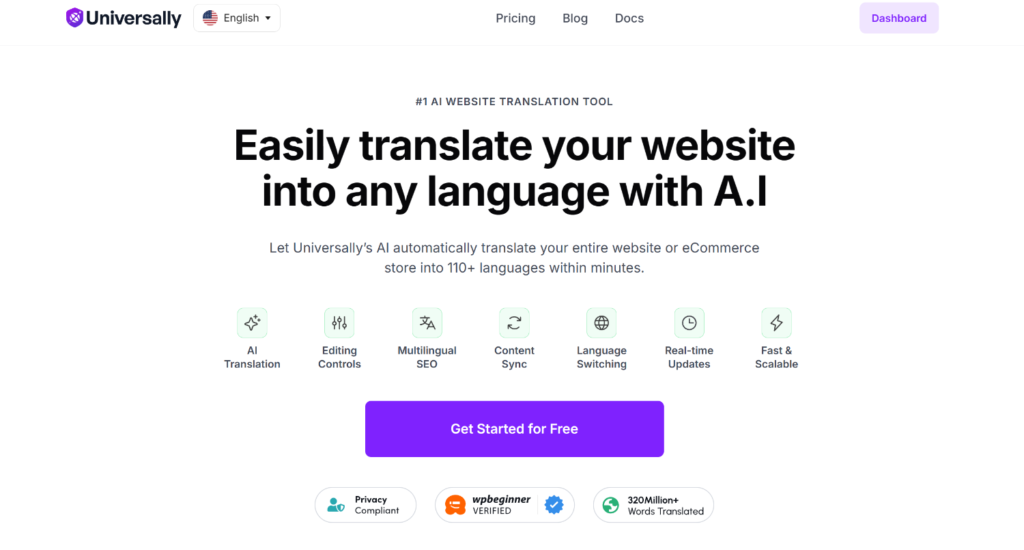
Universally is the best AI website translation tool, making it effortless to translate your WordPress website into 110+ languages. It runs on a context-aware AI engine that understands meaning, idioms, and tone rather than swapping words one-for-one.
It’s built by the same team behind WPBeginner and some of the most popular WordPress plugins like WPForms, MonsterInsights, OptinMonster, and All in One SEO (AIOSEO). Universally gives small business owners and eCommerce managers AI-powered translations and SEO-ready global expansion without developers, agencies, or database bloat.
What sets Universally apart from other WordPress translation plugins is that it keeps translated content out of the WordPress database. This external translation layer means you don’t experience any bloat, page-builder conflicts, or slowdown.
While testing, I noticed that setting it up took me under 10 minutes. It offers a setup wizard that helps you configure the tool on your WordPress site without any hassle.

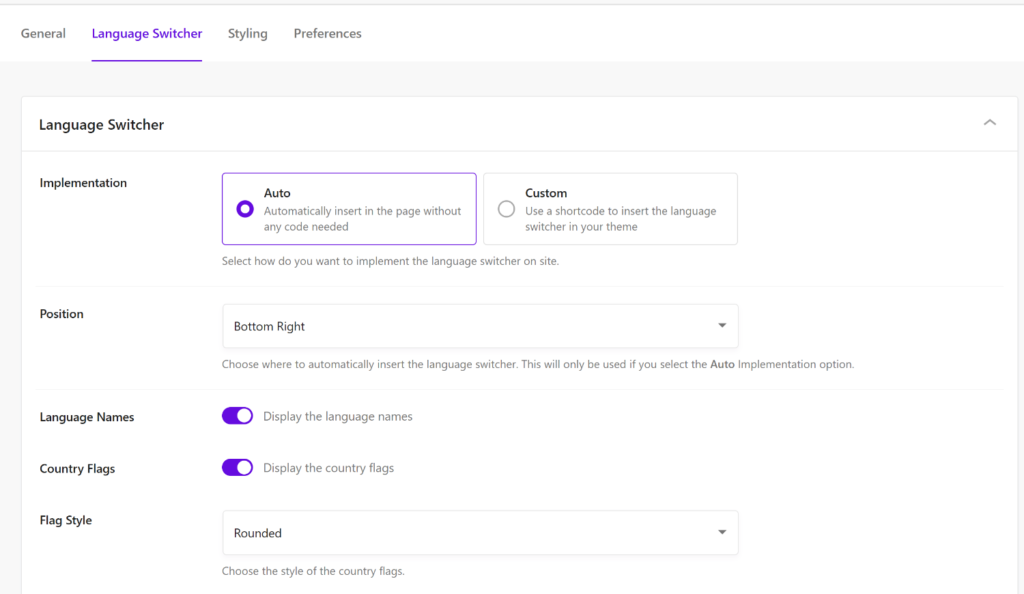
Once set up, the language switcher appeared on my test site automatically with no code required and nothing to configure in the theme.
The best part is that you get lots of options to customize the language switcher. From auto or custom implementation to choosing its position, editing the styling, and customizing other options.
During testing, I also found that Universally translates different elements on the site without any manual setup: blog posts, navigation menus, button text, form labels, image alt tags, and WooCommerce product descriptions.
When I published a new post in my source language, the translated version was live on the next page load without any additional steps. Nothing needed to be duplicated or re-triggered.
What stood out most is how it handles multilingual SEO automatically. Hreflang tags, translated title tags and meta descriptions, multilingual XML sitemaps, and localized internal links were all generated without touching a single setting. For right-to-left languages (RTL) like Arabic and Hebrew, text direction is adjusted on its own as well.
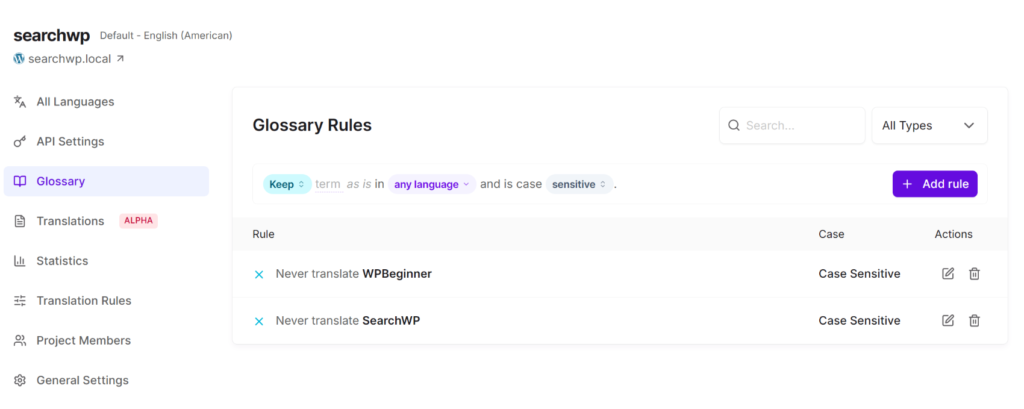
I also appreciated the AI Glossary. It lets you lock in how brand names, product terms, or specific phrases are translated or kept untranslated, which is real practical control over the parts of your content that matter most.
Pros
- No database bloat, so translations are processed and cached in the cloud, not stored in your WordPress install
- Free plan with no credit card required, useful for testing before committing
- Automatic content detection as new posts, products, menus, and widgets are picked up without any manual setup
- Built-in multilingual SEO features like hreflang tags, translated metadata, per-language XML sitemaps, and clean subdirectory URLs are handled automatically
- AI Glossary locks in brand names and product terms so they’re never mistranslated
- Significantly lower starting price than other translation plugins
- WooCommerce support included for products, categories, and checkout pages are translated automatically
- RTL language support out of the box
Cons
- Newer plugin in the market compared to some other tools
- The free version is limited to 1 language and 2,000 words per month
Why I Recommend Universally
If you want to go global in minutes with native-quality, context-aware AI translation, multilingual SEO built in, no code required, no database bloat, and no localization team needed, Universally is built for exactly that. For most WordPress site owners and WooCommerce store managers, it removes every barrier to going multilingual at once in over 110 languages. The free plan is a real starting point with no credit card required, and the 14-day money-back guarantee on paid plans means there’s no risk in trying it at scale.
Pricing
- Free: 1 site, 1 language, 2,000 words/month (no credit card required)
- Starter: $7.50/month (billed annually), 1 site, 1 language, 10,000 words/month
- Business: $15.80/month, 1 site, 3 languages, 50,000 words/month
- Pro (most popular): $40.80/month, 3 sites, 5 languages, 200,000 words/month
- Growth: $124.20/month, 10 sites, 10 languages, 1M words/month
- Enterprise: custom pricing, unlimited sites, languages, and words
All paid plans include a 14-day money-back guarantee. Get started for free today!
2. Weglot
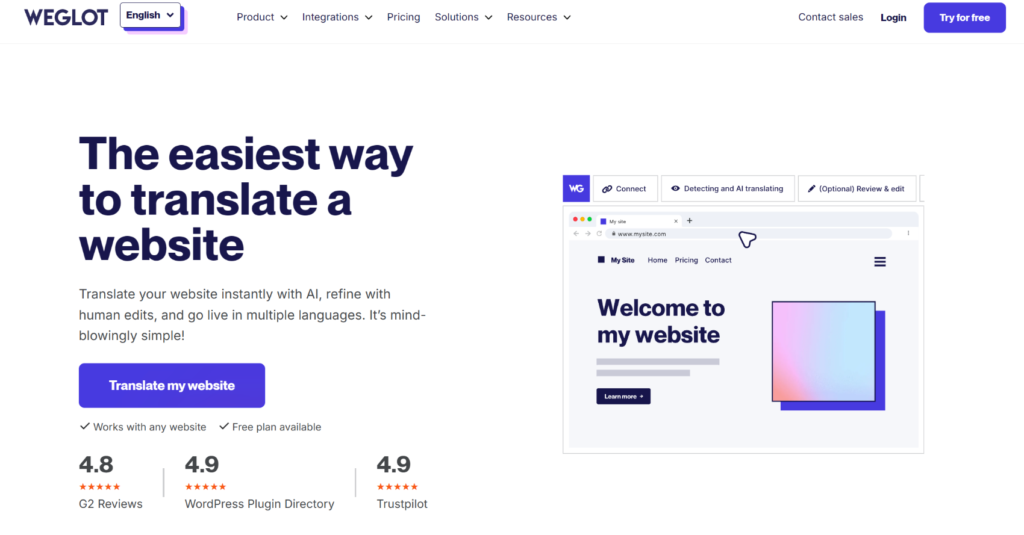
Weglot is the next translation tool on our list, and it supports multiple platforms, including WordPress. It has been around long enough that I’ve tested it across several different site types over the years.
When I first tested Weglot, I noticed that setting it up really does take about 10 to 15 minutes: install the plugin, connect your account, choose your languages, and the site is live in translated form. There’s no configuration required beyond that unless you want it.
During testing, the content detection was the most impressive part. Weglot caught dynamically generated strings, JavaScript-rendered content, and elements from third-party plugins that I’d assumed would be missed by an automatic system.
The visual editor also makes post-translation refinement fast. You can click any text on the live site, type the replacement, and save. Non-technical team members can manage it without developer help.
The honest observation is that Weglot works smoothly until you start calculating where the pricing goes as your content scales. I ran the numbers on a site with an active blog across three languages, and the Pro plan at €79/month was defensible.
But at five or more languages, or on a large WooCommerce catalog, the monthly cost climbs faster than most users anticipate. The free tier also counts words (limited to 2,000 words) that aren’t visible on the page, so the quota disappears quicker than expected.
Pros
- Fastest setup, as users can go live in under 15 minutes
- Excellent customer support with multiple options
- Visual editor makes reviewing and editing translations intuitive
- Automatic hreflang, metadata translation, and SEO-friendly URLs
- Works reliably across all WordPress themes, page builders, and plugins
Cons
- Pricing escalates quickly for sites with large content libraries or multiple languages:
- Word count calculation includes non-visible content on some pages, leading to unexpected quota consumption
- Translations stop serving if you cancel
- Default automatic translations use a formal tone, which requires manual adjustment for conversational or brand-specific content
- At times, the subdirectory URL setup can cause technical issues during initial configuration
Why I Recommend Weglot
If your budget allows for it, then no plugin in this list gets you multilingual faster. Weglot handles detection, translation, hreflang, and URL routing with almost no configuration. The tradeoff is that the pricing model rewards controlled content volumes. If you publish frequently or plan to translate into five or more languages, run the math against your actual content size before committing to a plan.
Pricing
- Free: 2,000 words, 1 language, Weglot branding
- Starter: €15/month (1 extra language, 10,000 words)
- Business: €29/month (3 languages, 50,000 words)
- Pro: €79/month (5 languages, 200,000 words)
- Advanced: €299/month (10 languages, 1M words)
- Extended: €699/month (20 languages, 5M words)
3. WPML
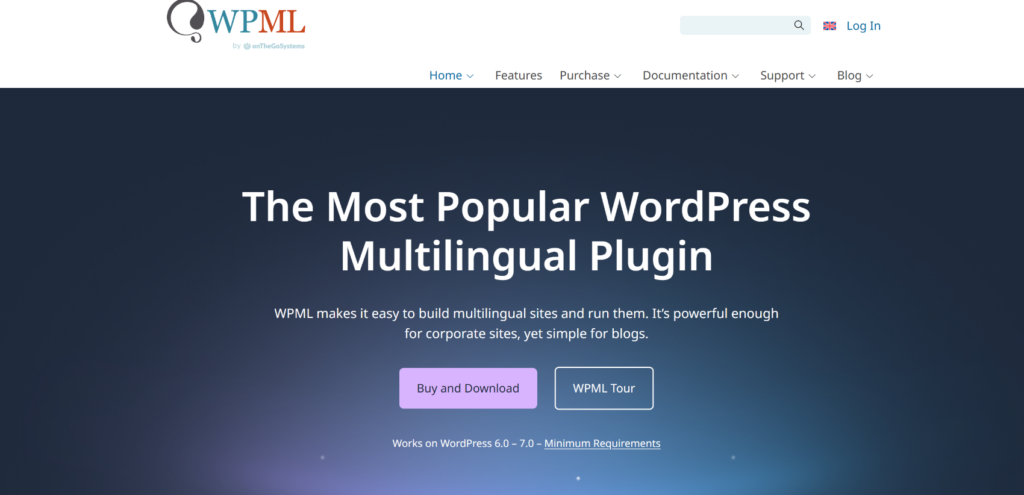
WPML is another popular WordPress translation plugin that has been around since before most WordPress users started building sites.
The setup process is the first thing every new user notices: you’re installing WPML core, String Translation, and WooCommerce Multilingual as separate plugins before you’ve translated a single word. That’s not a flaw, it’s an architecture choice, but it means the first hour is configuration, not content.
Once configured, the control WPML gives you is unmatched in this comparison. I’ve used it on builds with Advanced Custom Fields, custom post types, and Elementor templates where every other plugin either broke something or required workarounds. WPML handled it.
The WooCommerce depth is also genuine: multi-currency, per-language pricing, and translated transactional emails are all covered without additional add-ons.
Plus, you get WPML lets you translate posts, pages, custom post types, taxonomies, themes, plugins, and full WooCommerce, including multi-currency, transactional emails, and per-language pricing.
That said, what I’ve observed over recent projects is that WPML rewards patience and technical investment but punishes users who expect a quick setup.
Support quality has also been a genuine frustration in some recent work, as response times have slowed from what they used to be, and the AI support (Maiya) is not yet a substitute for a real support conversation. If you’re an agency buying the plugin for multiple clients, factor in the likelihood that you’ll need to use that support.
Pros
- Most feature-complete option in this comparison, as you get lots of features
- Full data ownership, as translations are stored in your database and work permanently, even after cancellation
- Deepest page builder compatibility with support for Elementor, Divi, Beaver Builder, and Avada
- Extensive, well-maintained documentation consistently rated the most thorough in the category
- WooCommerce Multilingual with multi-currency included free at the CMS tier
Cons
- Steep learning curve as the setup requires installing 3-5 separate plugins, and configuration is complex for first-time users
- UI is described as convoluted and overwhelming in multiple independent reviews
- Compatibility issues surface regularly after major WordPress version updates; experienced users recommend waiting for WPML to confirm compatibility before updating
- Support quality can be subjective at times, as there is no live chat for agency customers, AI support (Maiya) rated poorly, and ticket response times are inconsistent
- Auto-translation billing has been flagged by multiple users as opaque (credits consumed without a clear explanation, unexpected charges)
- Can noticeably slow down sites, particularly on budget hosting or very large content libraries
Why I Recommend WPML
For agencies and developers managing complex WordPress builds, particularly WooCommerce stores with multi-currency, custom post types, and deeply customized checkout flows, WPML still has the deepest feature set in the category. However, set realistic expectations about setup time, keep your WordPress updates conservative until WPML confirms compatibility, and allocate time for ongoing maintenance. It rewards technical investment.
Pricing
- Multilingual Blog: €39/year (blog content only, no AI translation, no WooCommerce, no String Translation)
- Multilingual CMS: €99/year (full site translation, AI translations, WooCommerce Multilingual included)
- Multilingual Agency: €199/year (agency use, unlimited sites)
No free plan. 30-day money-back guarantee.
4. TranslatePress
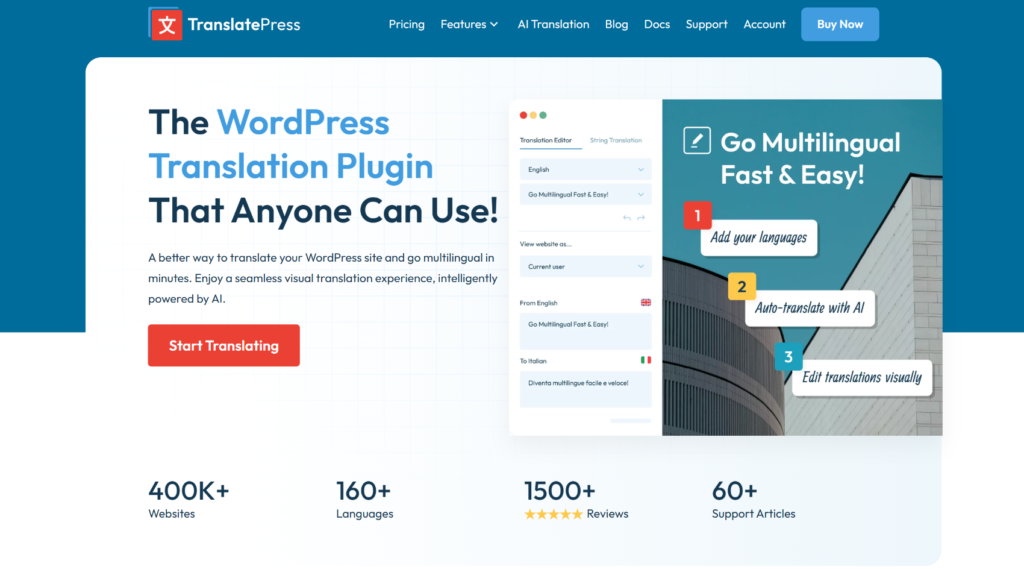
TranslatePress is a translation plugin that I’ve recommended to many non-technical users, and the visual editor is the reason.
During testing, I set up a bilingual site and handed it to a team member with no WordPress experience. She translated 15 pages in an afternoon by clicking on text directly on the live site and typing replacements. That level of ease genuinely doesn’t exist in plugins like WPML or Polylang.
What I found particularly useful is how it handles WooCommerce content in context. Product titles, descriptions, attribute labels, and checkout page copy can all be translated visually, which means whoever is doing the translating sees exactly what a customer sees rather than working through a string table in the backend.
One thing I’d flag from direct experience: the AI translation credits system requires attention. While testing on a couple of projects, I’ve seen credits consumed faster than expected, and the explanation wasn’t always clear in the dashboard.
It’s not a dealbreaker, but go in with your eyes open on the billing side and keep an active eye on your word balance rather than assuming it runs on autopilot. Also worth noting that translations are stored in your database, so on a large content library, you’ll want to monitor database size over time.
Pros
- Best visual editing experience and faster than WPML or Polylang for reviewing translations in context
- Flat annual pricing as costs are completely predictable, regardless of how much content you publish
- Full data ownership, as existing translations are stored on your database
- Strong WooCommerce support through the visual editor
- Active support team with good response times on paid plans
Cons
- Database-stored translation data grows with your content library, which can affect performance on large sites
- AI translation credits system can cause confusion and billing disputes
- Some users have reported losing translations after plugin updates, a reliability concern worth monitoring on production sites
- The SEO Pack (translated slugs, metadata, hreflang) is a paid add-on,
- Free version limited to two languages with manual translation only
Why I Recommend TranslatePress
If anyone on your team needs to see a translation in context before publishing it, TranslatePress is the clearest choice. The visual editor saves significant time compared to backend-only workflows, the flat annual pricing removes any anxiety about publishing more content. And you own your translations outright, whether you stay on the plugin or not.
Pricing
- Free: manual translation, 2 languages, no AI translation, no SEO Pack
- Personal: €99/year (1 site, 50,000 AI-translated words, SEO Pack included)
- Business: €199/year (3 sites, 200,000 AI-translated words, DeepL integration, translator accounts)
- Developer: €349/year (unlimited sites, 500,000 AI-translated words)
All the plans come with a 15-day money-back guarantee.
5. Polylang
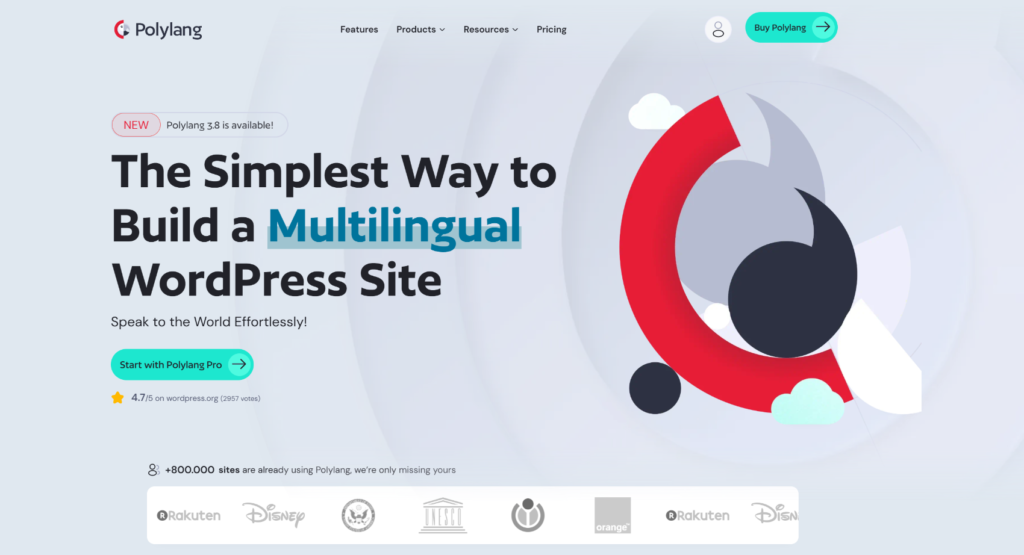
Polylang was one of the first multilingual plugins I used seriously, and it’s held up well over the years. The free version is one of the most honest free tiers in the WordPress plugin directory: no time limit, no word limit, no forced upgrade prompt. It is just a functional manual translation setup that works out of the box.
During testing, I put the free version on a standard WordPress blog and translated a dozen posts manually. The workflow is straightforward: duplicate a post, switch the language, and translate it in the editor.
It’s slow by modern standards, but the translations are stored natively in WordPress, load as fast as any other WordPress content, and cost nothing.
What surprised me the first time I ran it on a more active publishing site was how quickly manual translation becomes a bottleneck. Polylang is the right tool right up until you’re publishing frequently, then it becomes a real tax on the editorial process.
If you know you’ll want AI translation eventually, factor in the upgrade from the start. The DeepL integration requires Polylang Pro, and WooCommerce support requires a separate purchase on top of that.
Pros
- Strongest free tier for manual translation in this comparison: no restrictions on languages or content volume
- Lightweight and performance-focused, as it’s built around native WordPress database structures with minimal overhead
- The community support forum is active and helpful for free-tier users
- No vendor lock-in, as translations are native WordPress content
Cons
- No AI or automatic translation in the free version
- WooCommerce support requires a separate €99/year purchase on top of Pro
- Block widget translation requires Pro, as the free version only supports legacy widgets
- No visual editor available, all translation work happens in the WordPress backend
- Page builder compatibility can be inconsistent, particularly with Breakdance and some Elementor edge cases
- Scales poorly for frequent publishers
Why I Recommend Polylang
Polylang earns its place as the starting point for anyone who isn’t sure that multilingual is worth the investment yet. The free version does real work without asking you to commit a cent. When you’re ready to add AI translation or WooCommerce support, the upgrade path is clear.
Pricing
- Free: unlimited manual translation, unlimited languages, no AI, no WooCommerce support, no URL slug translation
- Polylang Pro: €99/year (URL slug translation, DeepL auto-translation, priority support)
- Polylang for WooCommerce: €99/year (required separately for any WooCommerce support)
- Polyland Business Pack: €139/year (includes everything in Pro and WooCommerce plans)
6. Translate WordPress with GTranslate

Translate WordPress with GTranslate is a free WordPress plugin that adds Google Translate to your site as a lightweight language switcher. It’s been available since 2008, making it one of the highest-rated translation plugins in the directory.
The free version is easy to understand because when I tested it, I just needed to install it, choose a widget style, and a language selector appeared on the site. Visitors click their language, and Google Translate processes the page in their browser. There’s no account to create, no API key to configure, and no word limits.
What I found during testing is that it works exactly as described and nothing more. It’s a Google Translate widget. Translations happen in the browser via JavaScript, which means they’re invisible to search engines, so Google cannot crawl or index them.
If your goal is to rank in translated languages, then you will need the paid plan, which includes multilingual SEO. If your goal is simply to give visitors a way to read your content in their own language, it does that quickly and at no cost.
The plugin supports 103 languages, handles right-to-left scripts like Arabic and Hebrew automatically, and offers multiple switcher styles including flags, dropdowns, and a floating selector. It also supports auto-switching based on the visitor’s browser language, which is a small but useful touch for accessibility-focused sites.
Pros
- Completely free with no account, API key, or word limits required
- 103 languages supported out of the box
- Fastest setup with no additional configuration
- Multiple widget styles (flags, dropdowns, floating selector, globe icon, and more)
- Lightweight vanilla JavaScript with no external dependencies
- Auto-switches language based on the visitor’s browser settings
- RTL language support included
Cons
- No multilingual SEO is included in the free version
- No subdirectory or subdomain URLs for translated content
- No hreflang tags, no translated metadata, no per-language sitemaps
- Translation quality is limited to Google Translate, with no way to edit or correct output
- No glossary or brand term protection
- No visual editor for reviewing translations
Why I Recommend Translate WordPress with GTranslate
If all you need is a free, zero-friction way for visitors to read your content in their own language, this plugin does that better than anything else in this list. The setup is minimal, the widget is clean, and Google Translate covers 103 languages at no cost. However, do note that it is a browser-side translation widget, not a multilingual SEO tool (in the free version).
Pricing
- Free: unlimited languages, unlimited words, no account required
7. MultilingualPress
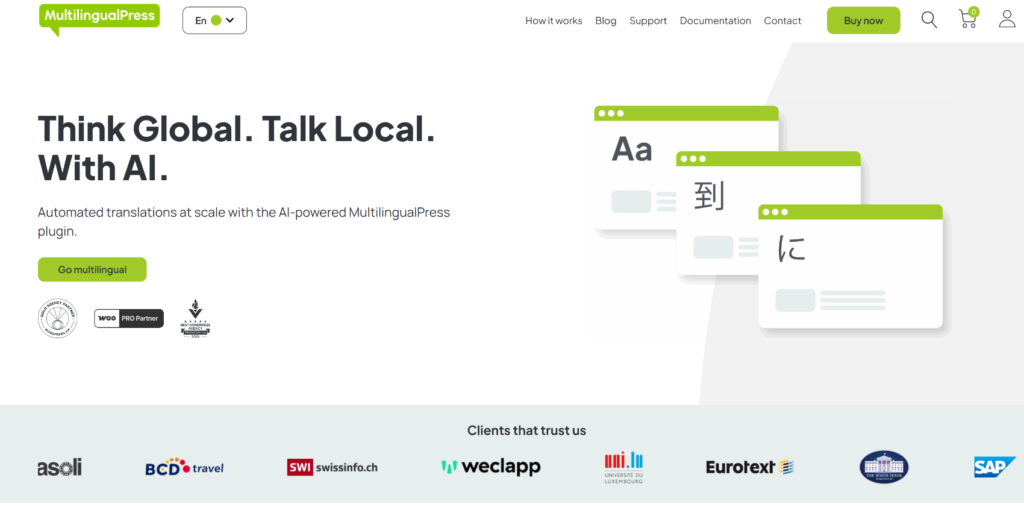
MultilingualPress is the only plugin in this list I’d describe as architecture-first. Setting it up requires an active WordPress Multisite network, which means it’s a non-starter for the majority of single-site WordPress owners.
What you gain from the Multisite approach is genuine independence per language. Each site has its own database, its own plugin configuration, and its own performance profile. There’s no translation layer adding overhead to every page request.
During testing, page load times on each language site were indistinguishable from a standard single-language WordPress installation. A meaningful difference when you’re running high-traffic multilingual networks.
The honest trade-off is that “each site manages its own content” also means “each site manages its own WooCommerce inventory, pricing, and plugins.”
If you need centralized stock management across language markets, that’s not something MultilingualPress handles natively. For organizations with genuinely separate regional operations, that’s fine. For anyone trying to translate a single WooCommerce store, it’s a significant overhead for a problem that the other six plugins here solve much more simply.
Pros
- Perfect for large multisite networks that require multilingual support
- Each language site is an independent WordPress install and stays intact if you leave
- Best performance architecture for large networks:
- Full editorial independence, as each language site can have its own plugins, themes, and regional settings
- Integrates with DeepL, OpenAI, and Amazon Translate via AutoTranslate for content copying between sites
- Automatic hreflang and SEO-friendly URLs out of the box
Cons
- WooCommerce product pricing and inventory must be managed separately per language site, with no centralized stock sync
- No visual translation editor, as all content work happens inside each language site’s own admin
- AutoTranslate does not cover page-builder-rendered content
- No free version available to try the plugin
- Complex for non-developers
Why I Recommend MultilingualPress
MultilingualPress is the right answer for organizations that operate a WordPress multisite network and require enterprise-level translation.
Pricing
- Pro: $149/year (2 languages)
- Professional: $499/year (6 languages)
- Advanced: $899/year (12 languages)
- Enterprise: $1,499/year (unlimited languages)
Which Plugin Is Right for Your Site?
The seven plugins above cover every type of WordPress site, but there’s usually one clear fit for each situation.
If you want to go multilingual in an instant without touching your database, then Universally is the best choice. It is a cloud-based solution and offers a dedicated WordPress plugin. You can translate content in 110+ different languages, and make it effortless to translate text, images, and SEO metadata using context-aware AI.
Plus, the setup wizard makes it very easy to get started. You can connect Universally to your WordPress site or WooCommerce store in just a few clicks and translate your site’s content in your preferred language in an instant.
That said, Universally also offers a free version to get started. You can choose 1 language and translate 2,000 words on your site.
Some honorable mentions for different situations include WPML for a complex WooCommerce store with custom post types, multi-currency requirements, and agency-level client builds. If you’re a blogger or small site owner starting from zero with no budget, start with Polylang free.
If you’re running a multisite network with separate language teams who need their own WordPress environments, MultilingualPress is the only plugin built for that architecture.
How Much Does It Actually Cost?
Most pricing comparisons focus on the starting plan. What matters more is the cost at the scale you’re planning for.
Here’s how the pricing compares across three content sizes, using two to three languages, billed annually. Flat-fee plugin costs stay the same regardless of word volume. That’s the point. Word-based plugin costs scale with content.
Small site (approx. 10,000 words, 2 languages)
| Plugin | Annual cost |
|---|---|
| Universally | ~$90 |
| Weglot | ~$180 |
| TranslatePress | ~$113 (Personal) |
| WPML | ~$113 (Multilingual CMS) |
| Polylang | ~$113 (Pro) |
Medium site (approx. 50,000 words, 3 languages)
| Plugin | Annual cost |
|---|---|
| Universally | ~$190 (Business plan) |
| Weglot | ~$948 (Business plan required) |
| TranslatePress | ~$113 (Personal) |
| WPML | ~$113 (Multilingual CMS) |
| Polylang | ~$113 (Pro) |
Large site (approx. 200,000 words, 5 languages)
| Plugin | Annual cost |
|---|---|
| Universally | ~$490 (Pro plan) |
| Weglot | ~$3,588 (Advanced plan required) |
| TranslatePress | ~$399 (Developer) |
| WPML | ~$113 (Multilingual CMS) |
| Polylang | ~$226 (Pro + WooCommerce) |
At low content volumes, flat-fee plugins can feel expensive relative to what you’re translating. At high content volumes, flat-fee plugins become significantly cheaper, but they come with a larger database footprint or a more complex setup process. The crossover point sits somewhere in the medium range, which is where Universally offers the best balance between cost and simplicity.
These numbers are approximate and based on publicly available pricing. Always verify current plan details directly on each vendor’s pricing page before making a decision.
FAQs about Translation Plugins for WordPress
1. What Is the Best Free WordPress Translation Plugin?
Polylang is the strongest free option for manual translation: no word limits and no language limits. If you want free automatic AI translation, Universally’s free plan covers one language and up to 2,000 words per month with no credit card required.
2. Do WordPress Translation Plugins Slow Down Your Site?
Database plugins like WPML and TranslatePress add database queries as your translated content grows, which can affect performance on large sites or shared hosting. Cloud-based plugins like Universally and Weglot handle translation externally, so there’s no added database load on your WordPress install.
3. Which WordPress Translation Plugin Is Best for WooCommerce?
WPML with WooCommerce Multilingual is the most complete option: multi-currency, per-language pricing, transactional emails, and product attributes are all covered and included in the €99/year plan. On the other hand, Universally can handle core WooCommerce content (products, categories, and checkout pages) automatically using AI-powered translations.
4. What Happens to My Translations if I Cancel?
It depends on where your translations are stored. Database plugins (WPML, TranslatePress, Polylang) store translations inside your WordPress database: they keep working even after you cancel, though you lose access to AI credits and ongoing updates. Cloud plugins (Universally, Weglot) store translations on external servers: translated pages stop serving if your subscription lapses.
5. Does Using a Translation Plugin Hurt SEO?
Only if the plugin doesn’t create properly indexed URLs for each language. JavaScript-only translation, like GTranslate’s free tier, is invisible to Google and provides no SEO benefit at all. Plugins that generate real subdirectory URLs (yoursite.com/fr/), automatic hreflang tags, and translated metadata allow Google to crawl and rank each language version independently. That’s the setup that drives actual multilingual organic traffic.
With that, I hope this article helped you find the best WordPress translation plugin. You may also want to see our guides on how multilingual SEO can double your organic traffic and how to create a multilingual WordPress site.


Add a Comment