
There are two kinds of key and they live in different places. A project key translates content for one site. A workspace key manages the account. If a plugin or an integration is asking for a key to translate with, it wants the project one.
The project key
Open the project, then API Settings. The key is masked until you choose Show API key, and Copy puts it on your clipboard.
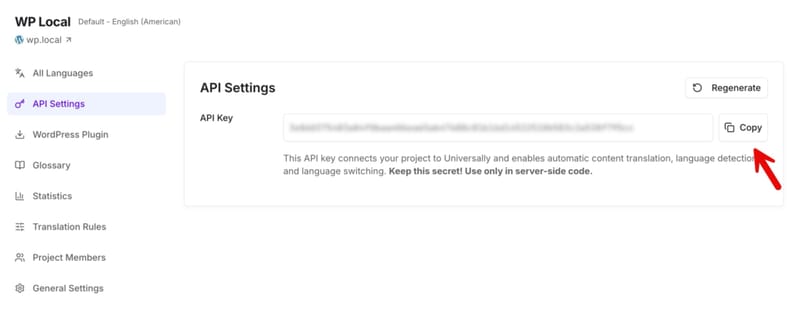
This is the key the WordPress plugin uses, and the one the Translator API authenticates with. Each project has its own: a key from one project will not translate another project's site.
Regenerate replaces it. The old key stops working the moment the new one exists, so anything still using it stops translating until you paste the new one in. Use it when a key has leaked, not to tidy up.
The workspace key
Open the workspace, then API Keys, then Create key. These are workspace-scoped keys for reaching the Platform API, which manages languages, glossary rules, sites and stored translations.
Four differences from the project key:
- You see it once. The key is shown when you create it and never again, so copy it then. If you lose it, revoke it and create another.
- There is no regenerate. Keys are created and revoked. Revoking is immediate and breaks anything using that key, which is what makes it the right response to a leak.
- They expire. Expires in is a required field when you create one, offering 30, 90, 180 or 365 days, and 180 is the default. There is no extending it and nothing longer than a year. An expired key returns an authentication error, so create a replacement and swap it in before the date. An integration that stops working roughly six months after you built it is usually this.
- They only carry the permissions you tick. Permissions are chosen at creation and cannot exceed your own permissions in that workspace, so a key created with none selected can reach nothing. Give a key the least it needs.
Keeping a key safe
A key is a password with your word total attached. Anyone holding it can spend it.
- Keep it server-side. A key in frontend JavaScript, in a mobile app bundle, or in a public repository is a key that has been given away.
- Do not paste it into a support ticket, a screenshot or a chat message. If you already have, replace it.
- Rotate on suspicion, not on schedule: Regenerate for a project key, Revoke for a workspace key.