
A workspace is the container for your projects, your team, and your subscription. Most accounts need exactly one. This page explains what a workspace holds and when a second one is worth having.
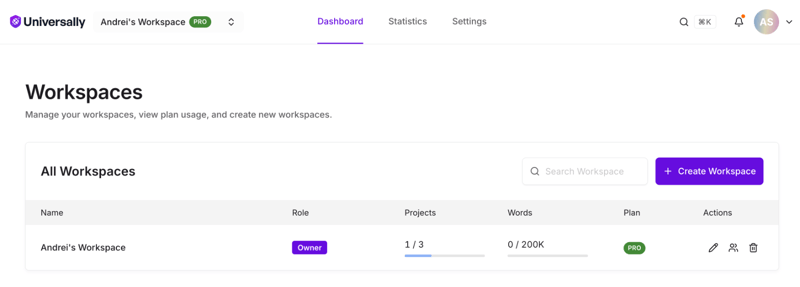
What a workspace holds
| Belongs to the workspace | Notes |
|---|---|
| Projects | Every site you translate |
| Members and their roles | One role per person, applying to every project |
| The subscription and plan | Billing is per workspace, not per project |
| The word count | Usage from all projects adds up against one balance |
Two consequences follow from that list, and they drive every decision about whether to create a second workspace:
Word usage is pooled. Projects in the same workspace draw down the same prepaid word balance. A busy project can consume words a quieter one was meant for.
Roles are workspace-wide. Giving someone Editor gives them Editor on every project in that workspace. Per-project roles can raise their access on a specific project but never lower it, which is covered in Roles and permissions.
When one workspace is right
Keep everything in one workspace when the sites belong to the same organisation and the same people work across them. This is the common case. You get one bill, one word balance, and one member list to maintain.
When to create a second
Create another workspace when you need a boundary that roles cannot express:
Separating clients. If you translate sites for clients, one workspace per client keeps their members, billing, and word usage apart. A client's team never sees another client's projects. This needs a paid plan, since the free plan allows a single workspace.
Restricting access to a project. Because roles apply workspace-wide and per-project roles only ever grant more access, there is no way to hide one project from someone who has access to the workspace. If a project must be invisible to part of your team, it needs its own workspace.
Splitting budgets. Separate workspaces mean separate subscriptions and separate word balances, so one team cannot spend another's words.
The cost is real: each workspace is its own subscription, its own member list, and its own invitations. Two workspaces means two of everything to administer.
Creating a workspace
- Open the workspace switcher in the top bar.
- Choose Create New Workspace.
- Enter a workspace name and confirm. You become its owner.
A new workspace starts with no projects, no members besides you, and its own plan.
The free plan allows one workspace. If you are on it, creating a second shows Free Workspace Limit Reached, and you need to upgrade an existing workspace to a paid plan first.
Switching between workspaces
Use the workspace switcher in the top bar, which lists your workspaces and offers All Workspaces and Manage Workspaces. Everything below it, the project list, members, and billing, changes to the workspace you selected.
Your role can differ per workspace. You might own one and be a Member of another, which means the actions available to you change as you switch.
Workspace settings
Two settings, and both are Owner and Admin only. Open Manage Workspaces and choose the workspace, or use its Settings entry.
Workspace name. Renaming changes it everywhere, including the switcher.
Require two-factor authentication. With this on, everyone in the workspace needs a verified two-factor method to use it. A member without one is blocked from the workspace and its projects until they enrol; their own profile stays reachable so they can. Members are notified when it is switched on, and the switch is only available to an Owner or Admin who has two-factor set up themselves. See Two-factor authentication.
Deleting a workspace
Only the owner can delete a workspace, and nothing cascades: you empty it first.
Three things block deletion, and the Settings screen says which one applies:
- It still has projects. Delete every project first.
- It has an active subscription. Cancel the plan first.
- It is your only workspace. That one cannot be deleted at all.
Once none of those apply, Delete this workspace opens a dialog that asks you to type delete before confirming with I understand, delete this workspace.
Deleting the projects is what discards their translations, and there is no export, so anything you want to keep has to be copied out by hand before then. See Import and export translations.