
The project's Statistics screen shows translation requests: which languages visitors are asking for, and which URLs are being requested. It is a demand picture, and it is separate from your word usage.
Requests, not words
Worth separating these two before reading anything into the numbers:
| Where | What it tells you | |
|---|---|---|
| Requests | Statistics | how often translated pages are being asked for, by language and by URL |
| Words | dashboard usage | how much of your prepaid total you have spent |
A language can be requested heavily while consuming almost no words, because a page already translated serves without spending anything. High requests with flat word usage means your content is stable and being read, which is the healthy case. See Usage limits.
Open it
Open the project and choose Statistics. The headline is the request count for the period, charted over time and split by language.
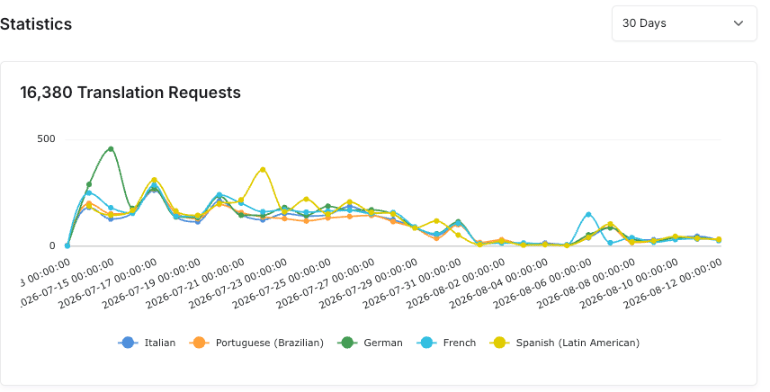
What it shows
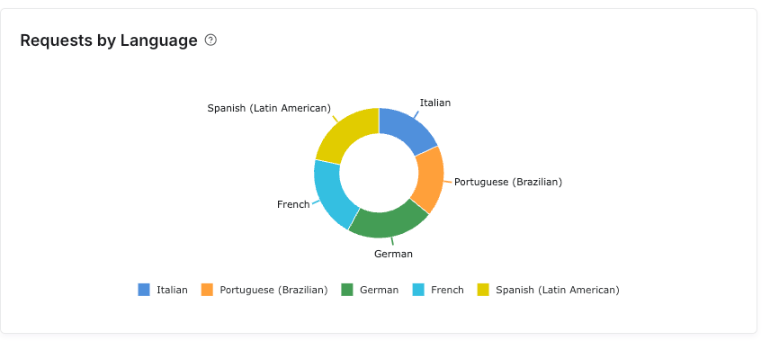
Requests by Language breaks requests down per language, which is the closest thing to knowing which of your languages people actually use. A language with almost no requests months after launch is a candidate for removal. See Remove or disable a language.
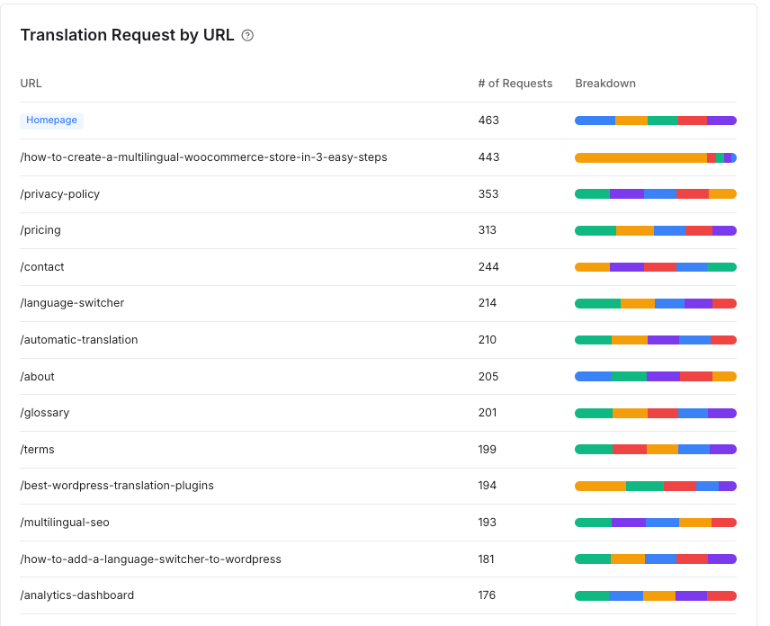
Translation Request by URL lists the pages being requested, with a per-language breakdown bar on each row. Use it to find which content matters in translation, which is often not the same set that matters in your source language.
Choosing a period
The picker at the top offers nine periods: 1 Hour, 3 Hours, 24 Hours, 7 Days, 30 Days, This Week, This Month, Previous Week and Previous Month.
Two kinds are mixed in that list, and the difference explains most numbers that look wrong. 7 Days and 30 Days count back from now, so the window moves with you. This Week and This Month use the calendar boundary, so early in a month they cover a short window and read low. Check which one you picked before treating a drop as real.
Empty results
No request data for this period means nobody requested a translated page in that window. On a new setup this is normal. If it persists after launch, the problem is more likely that translated pages are not reachable than that nobody wants them. See Translations are not appearing.