
Seeing translated text is not quite proof, and not seeing it is not quite failure. This page gives you four checks that each fail differently, so a problem tells you where it is instead of leaving you guessing.
Check 1: the dashboard checks your site
Open the project and choose API Settings. For a WordPress project this checks your site live and reports one of four results:
- Plugin connected. The dashboard reached the plugin and the link is valid.
- Universally plugin not detected. Your site answered, but no Universally plugin was found on it.
- Couldn't reach your site. No response at all, which points at DNS, a firewall, or a host blocking outbound and inbound requests. Fix the reachability, then use Check again.
- Your Universally plugin is out of date. The plugin is there but too old to confirm the connection. Use Update the plugin, then check again.
This is the fastest first check because it tells "too old" and "unreachable" apart from "not connected", which nothing on the site itself can do.
Check 2: a translated URL responds
Open your site with a language code in the path, for example https://yoursite.com/es/, using a language you have actually enabled.
- The page loads in Spanish. Translation is working. The first load is the slow one, because that is when the page gets translated; reload and it should be quick.
- You get a 404. The prefix did not resolve to an enabled language. Confirm the language is added and enabled for the project, then open Universally » General » Languages in WordPress and use Refresh: that table lists the live URL for each language, and the prefix you are typing has to match it exactly. A regional variant can use a country prefix such as
/mx/rather than/es/. - The page loads in English. The request reached your site but was not translated. Continue to check 3.
Re-saving permalinks does not help here. Universally does not add WordPress rewrite rules, so there is nothing for a permalink flush to pick up.
Check 3: the page says which language it is
This is the check worth knowing, because it separates "not translated" from "translated, and you are looking at a cached copy of the English page".
View source on the translated URL and look at the opening <html> tag. On a translated page it carries the target language and a direction:
<html lang="es-es" dir="ltr" translate="no">
Three things to read there:
langis the language actually served, with its region, in lower case:es-es,es-mx,fr-fr,pt-br. If it still starts withenon/es/, nothing translated the response.dirisrtlfor the nine right-to-left languages andltrfor everything else. See Right-to-left languages.translate="no"tells the browser not to offer its own translation of a page that is already translated. Its presence is a reliable sign the response came through Universally.
If your source page already includes og:locale or a Content-Language meta tag, those are updated to the target language too. Neither is added when it was not there to begin with, so their absence proves nothing.
Check 4: the switcher is where you put it
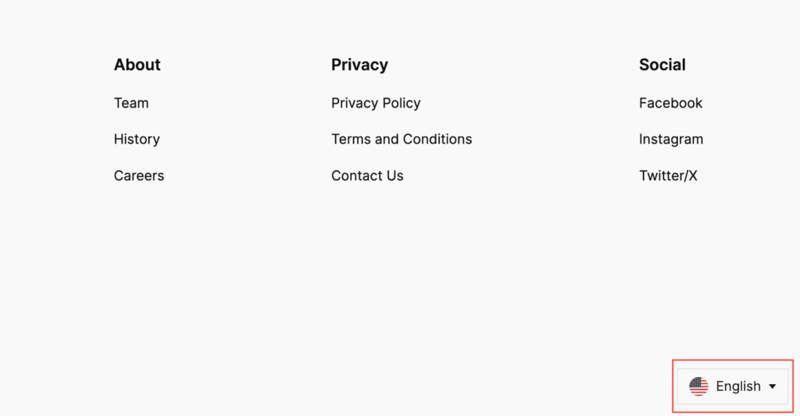
If there is no switcher at all, the likely cause is the plugin's Implementation setting being Custom, which means nothing is inserted until you place it yourself. See The switcher is not visible.
The switcher is presentation only. A missing switcher does not mean translation is broken, and a working switcher does not prove the connection is healthy, which is why it is the last check rather than the first.
When the checks disagree
Translated in a private window, English in your normal one. Your browser cached the English page. Hard-reload it.
Translated for you, English for visitors. A page cache or CDN is serving one language to everyone. See Caching and CDNs.
Some pages translate, others do not. Those pages are probably excluded, by URL pattern or by selector. See Exclude pages.
Text that never translates, anywhere. Content injected by JavaScript after load is not in the HTML when translation happens. See Translate dynamic and JavaScript content.
Nothing translates and the plugin looks fine. Check the project's Domain under General Settings against the address you are browsing. A mismatch fails silently and serves every page in the source language; only the bare and www. forms count as the same site. Then confirm the connection from both ends: the API panel under Universally » General in WordPress, and check 1 above. Some managed hosts also block outbound requests to api.universally.com.