
When you add a language you also choose a region, and for five languages that choice changes how the text is written rather than just which flag appears.
Region and variant are different things
| What it controls | |
|---|---|
| Region | the flag shown in the switcher, and the URL segment |
| Variant | how the text is actually written |
Several regions map to the same variant. Spanish for Mexico, Argentina, Chile, Colombia, Peru, Venezuela and Ecuador all use the Spanish (Latin American) variant, so they read identically. Only Spain uses Spanish (European).
That is why choosing Mexico rather than Argentina changes the flag and the URL but not a single word of the translation.
The five languages with more than one variant
Of 110 languages, 105 have exactly one variant. These five have two:
| Language | Variants |
|---|---|
| English | English (American), English (British) |
| Spanish | Spanish (European), Spanish (Latin American) |
| French | French, French (Canada) |
| Portuguese | Portuguese (European), Portuguese (Brazilian) |
| Chinese | Simplified Chinese, Traditional Chinese |
For these, the region you pick decides which variant you get, and the difference is real: vocabulary, spelling and sometimes grammar. A Brazilian reader can tell European Portuguese immediately.
Chinese is the starkest case, since Simplified and Traditional use different characters. Picking the wrong one produces text your audience can read only with effort.
Adding a language with a region
The Add Target Language dialog has three steps:
- Language, for example French.
- Region, for example France. When a language has multiple variants, the dialog says so and the region is what selects one.
- URL Format, which decides the URL segment. See Subdomains and subdirectories.
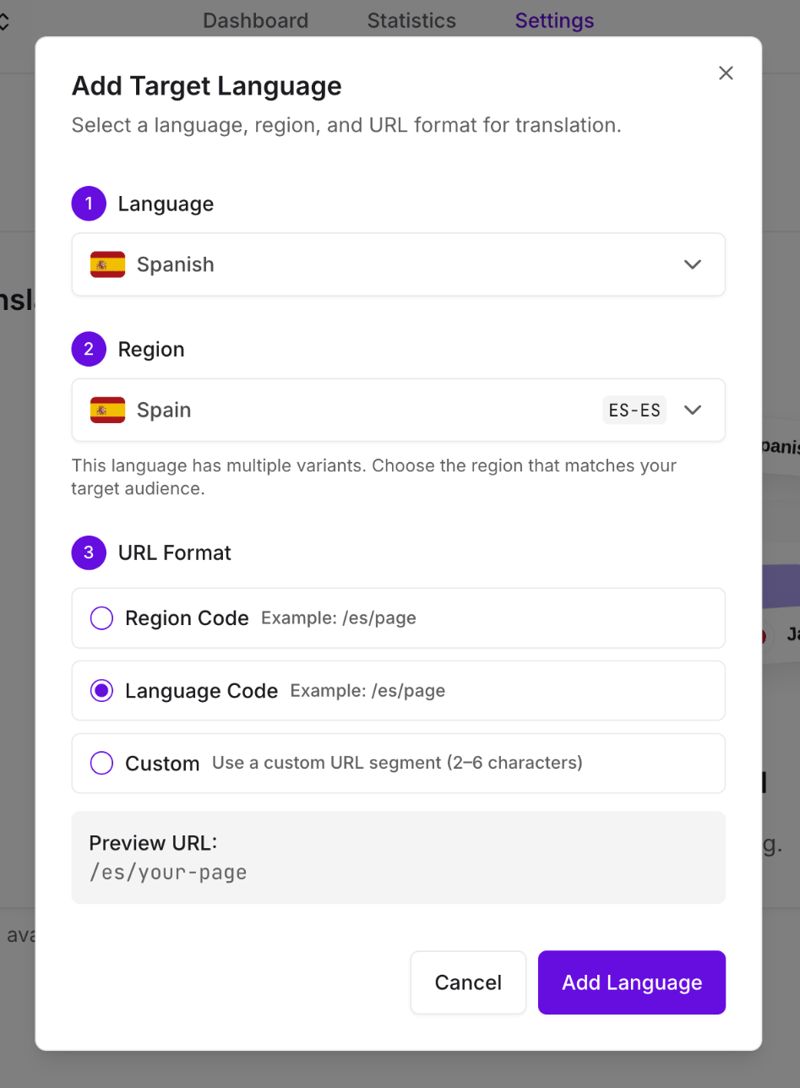
There are 169 regions across the 110 languages, so most languages offer several countries even when they have only one variant.
Choosing for a language with one variant
Pick the region matching your largest audience. The flag and URL will suit them, and the translation is the same whichever you choose.
Targeting two regions of the same language
A project holds one entry per variant, so adding a language twice works only where the two regions map to different variants: es and es-419, en-us and en-gb, fr and fr-ca, pt and pt-br, Simplified and Traditional Chinese. Spanish for Spain plus Spanish for Mexico gives you two URLs, two flags and two genuinely different translations.
Two regions that share a variant cannot both be added, and the dialog makes that visible rather than letting you find out later:
- Once Spanish (Mexico) is added, every other Latin American region disappears from the Region list, because they all use the same variant.
- Once every variant of a language is in use, the language itself disappears from the Language list.
If you want the same variant on two URLs, that is not something a project can do. Pick the region whose flag and URL suit your largest audience. To change that choice later, edit the language rather than adding another. See Add and remove languages.